
Do Not Start by Asking Whether the Chart Looks Good#
When many people create data visualizations, their first reaction is: what chart would make this data look better? Should I switch to a more “advanced” chart so the presentation feels more professional?
But the result is often the opposite: the chart becomes more complex, and the information becomes harder to read.
The problem is usually not the tool, but the starting point for choosing the chart. A chart is not decoration. Its job is to help readers understand data faster. Before choosing a chart, it is better to ask: what question does this data need to answer? Is it comparing sizes, checking rankings, observing changes over time, showing composition and share, analyzing relationships between variables, or looking at the distribution of data?
In other words, chart selection should start from “what story the data wants to tell,” not from “which chart looks better”1.
This article does not cover complex charts yet. It focuses on the 6 most common chart types in daily work, papers, presentations, and data analysis: bar charts, column charts, line charts, pie/donut charts, scatter plots, and histograms. If you choose these basic charts correctly, you can already avoid most visualization misunderstandings.
One-Sentence Rule: First Look at the Question You Need to Answer#
If you only want a quick judgment, remember this table first:
| Question you need to answer | Chart to consider first |
|---|---|
| Which category is larger, and by how much | Bar chart or column chart |
| What the category ranking looks like | Sorted bar chart |
| How a metric changes over time | Line chart |
| What parts make up the whole | Pie chart or donut chart, but use with caution |
| Whether two numeric variables are related | Scatter plot |
| Where a set of continuous values is concentrated | Histogram |
Below, we will break them down one by one. The point is not to memorize chart names, but to remember what question each chart type is best at answering, and where it is most easily misused.
Bar Charts: The Safest Chart for Category Comparison#
Bar charts are suitable for answering: “Which category is larger?” “How much do categories differ?” For example:
- Sales of a product in different cities;
- Number of users brought by different channels;
- Budget spending by department;
- Market-share rankings of different brands.
The advantage of a bar chart is that it is intuitive, and readers need almost no learning cost. It is suitable for comparing data across categories, usually made of one dimension and one measure. Tableau’s bar chart documentation also emphasizes that bar charts are commonly used to compare data across different categories2.
The data structure suitable for a bar chart usually looks like this:
| Category | Value |
|---|---|
| Beijing | 1200 |
| Shanghai | 980 |
| Guangzhou | 760 |
| Shenzhen | 720 |
If category names are long, prefer a horizontal bar chart. For labels such as “East China enterprise customer direct-sales channel,” putting them on the horizontal axis would be crowded, while a horizontal bar chart is clearer.
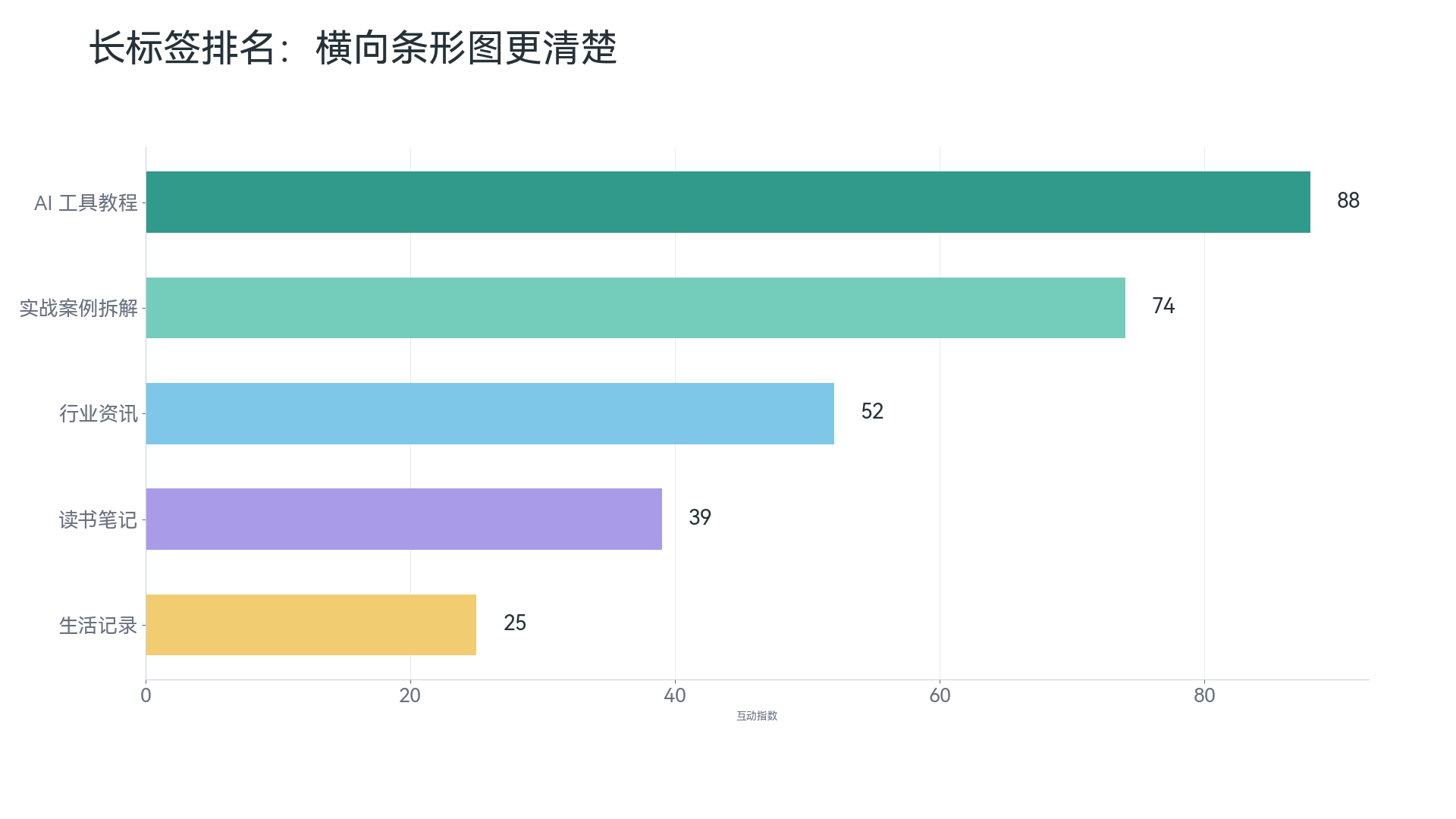
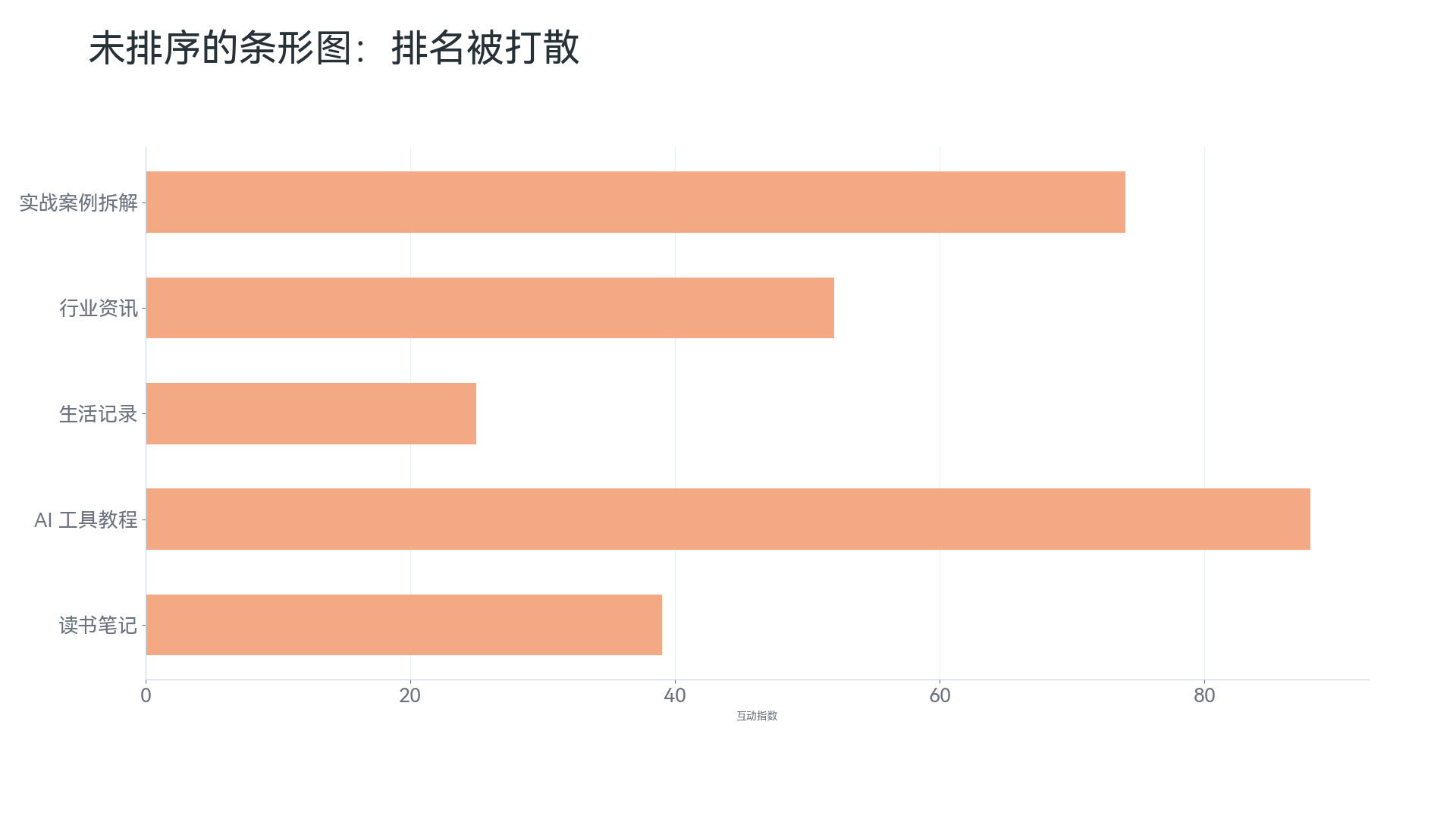
If you want to highlight ranking, you must sort. A bar chart in default order is not always easy to read, but after sorting values from high to low, readers can immediately see the first place, second place, and tail categories.
When there are too many categories, do not cram all of them into one chart. Keep only the Top 10 or Top 20, and group the rest as “Other.” Otherwise the chart becomes a dense list, and readers cannot see the point.

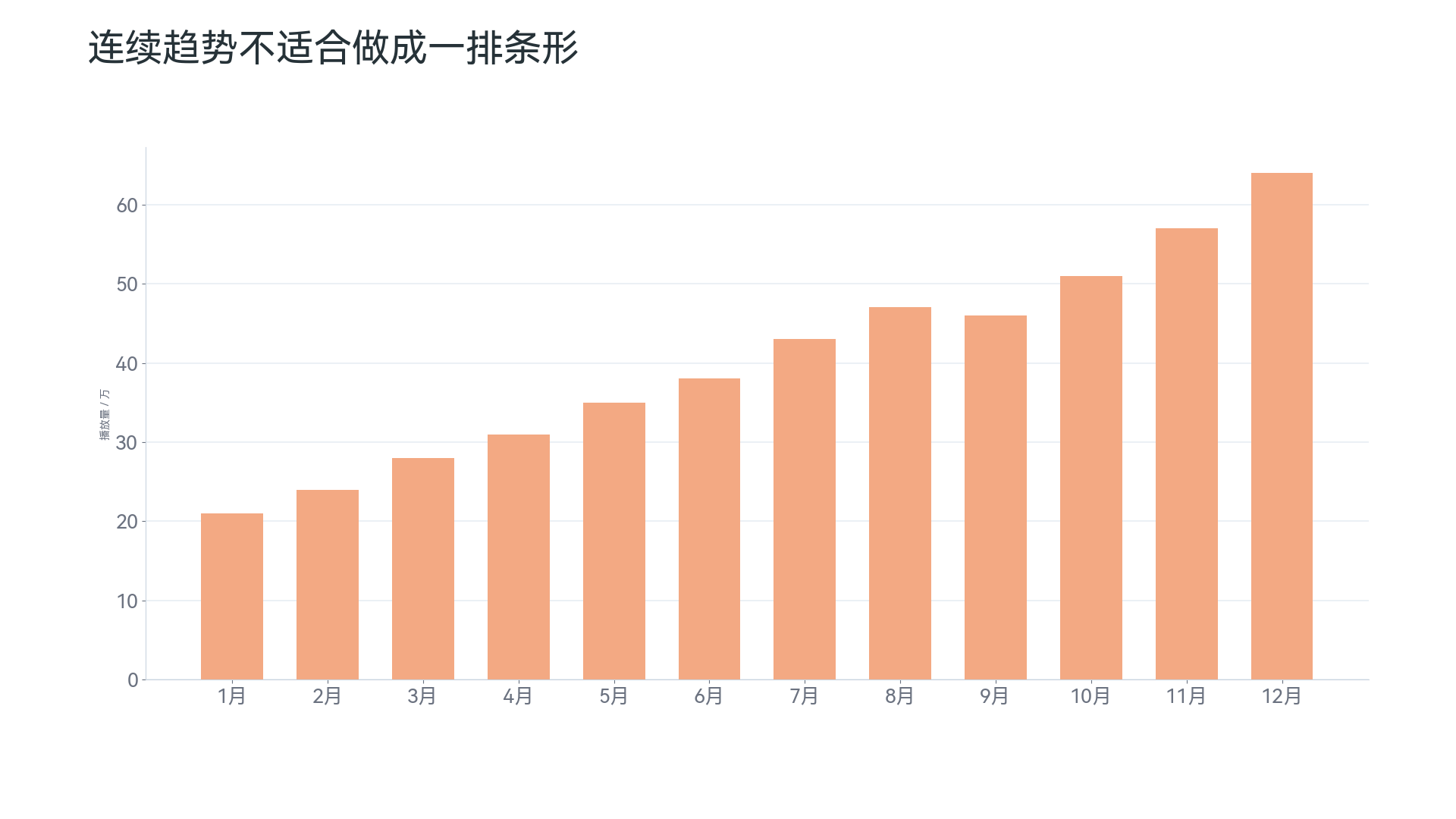
Another common misuse is forcing a time series into many bars. Short-term comparisons or a small number of time points can use column or bar charts, but if the focus is a continuous trend, a line chart is usually more appropriate.
Column Charts: Good for Short Category Labels and a Few Time Points#
Column charts are very close to bar charts. In essence, both use length to compare values. The difference is that column charts are usually vertical, with categories on the horizontal axis and values on the vertical axis.
They suit these scenarios:
- Comparing a small number of categories;
- Comparing data across several quarters or years;
- Showing differences between discrete time points;
- Showing grouped comparisons, such as sales of different products in different regions.
For example, when comparing revenue in 2021, 2022, 2023, and 2024, a column chart is suitable. There are few categories and short labels, so readers can quickly see the differences.
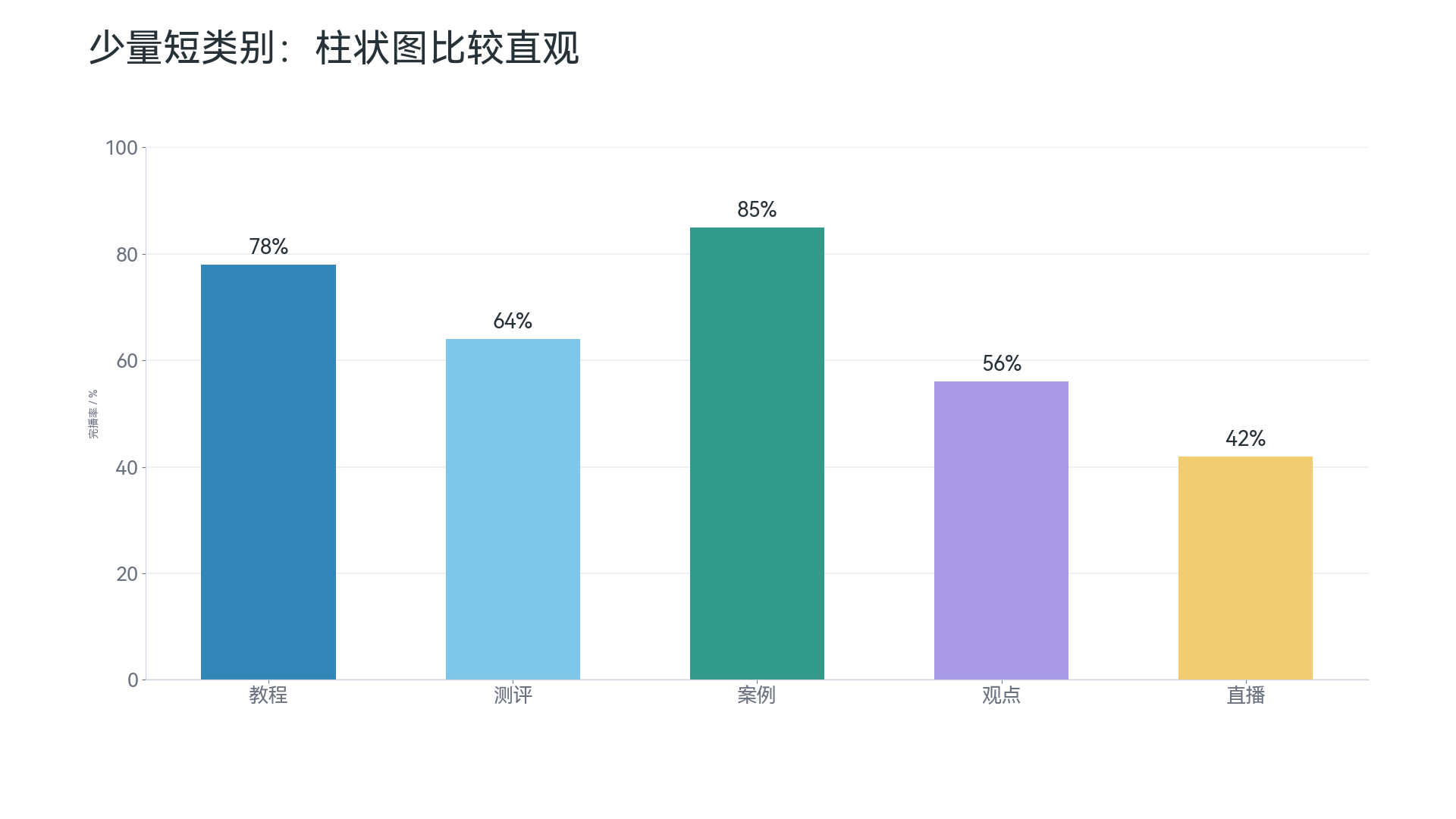
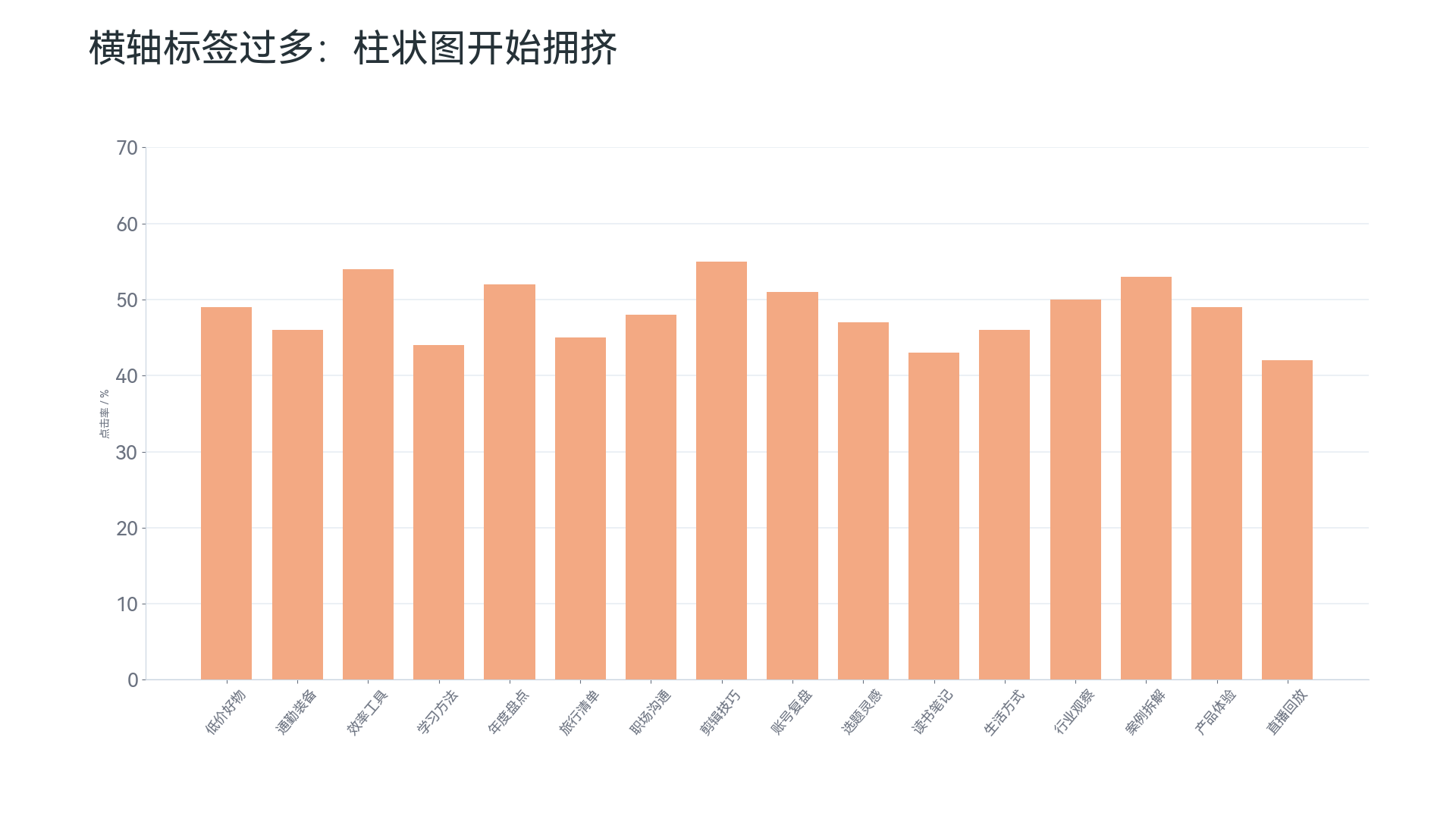
The easiest mistake with column charts is using too many categories. Once the horizontal-axis labels multiply, readers will struggle. In this case, changing the column chart to a horizontal bar chart is usually clearer.
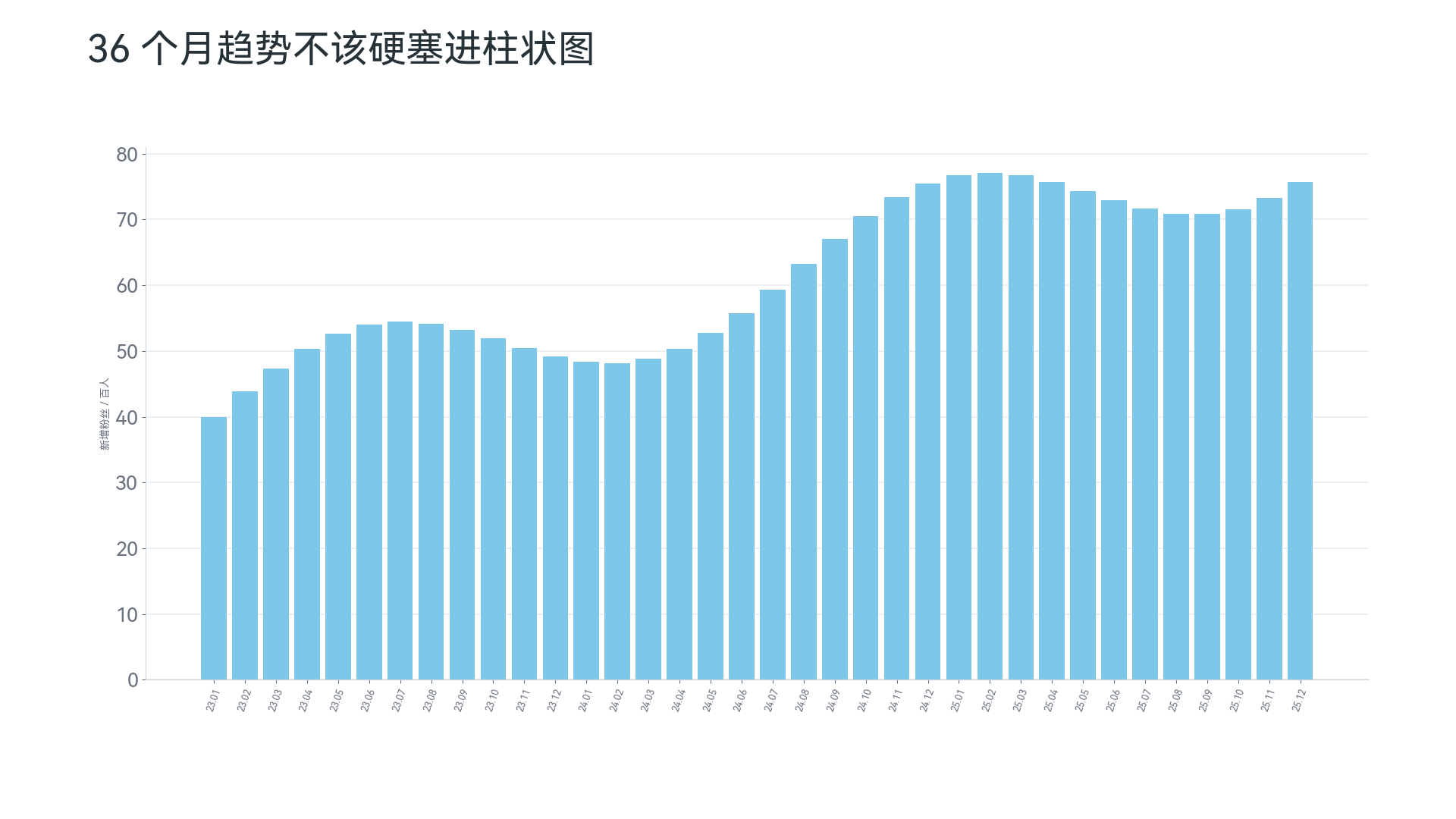
If there are many time points, such as revenue across 36 consecutive months, a row of dense columns is also not recommended. You can draw it, of course, but readers will have trouble seeing the overall movement. A line chart is usually more suitable here.
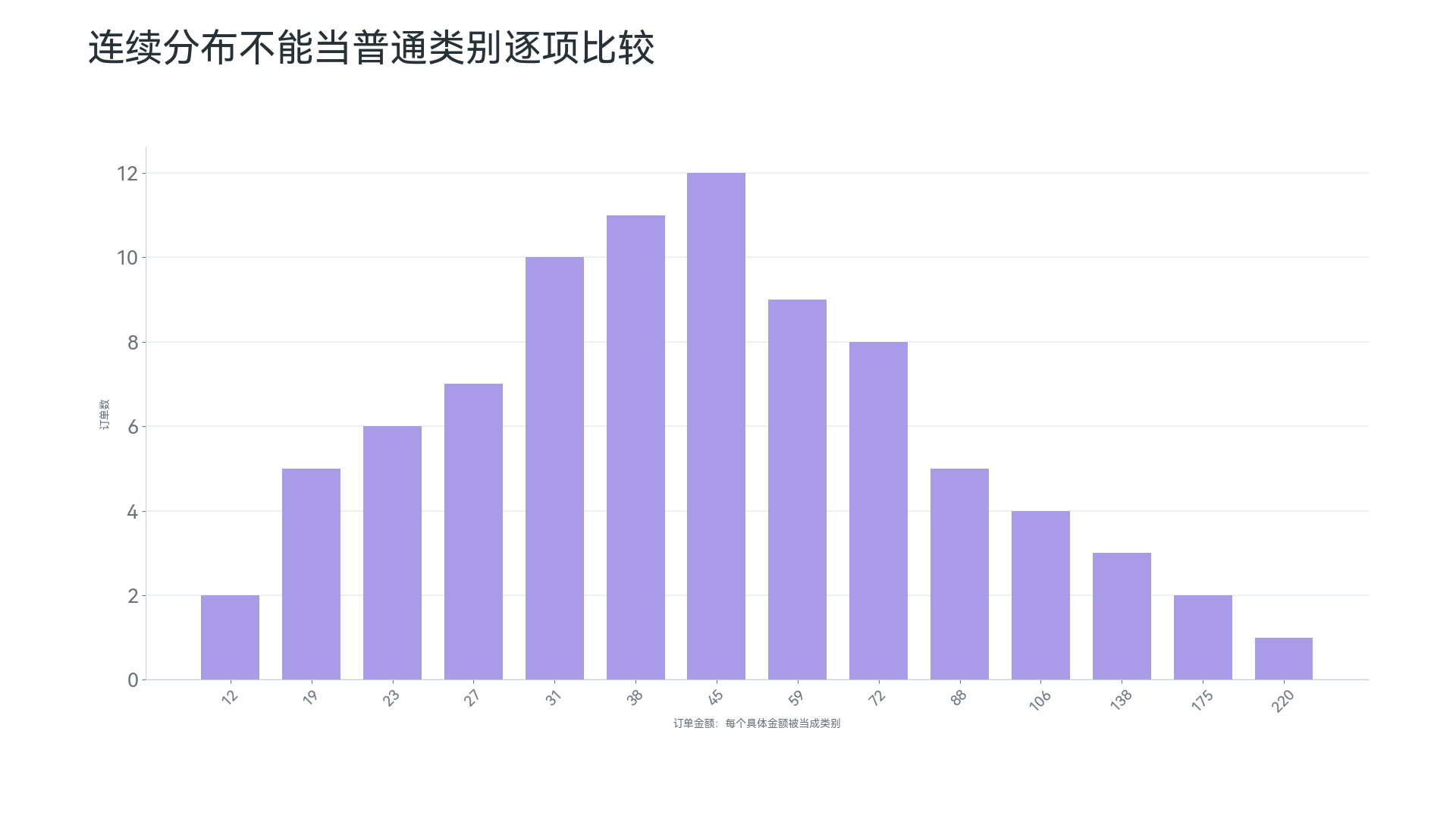
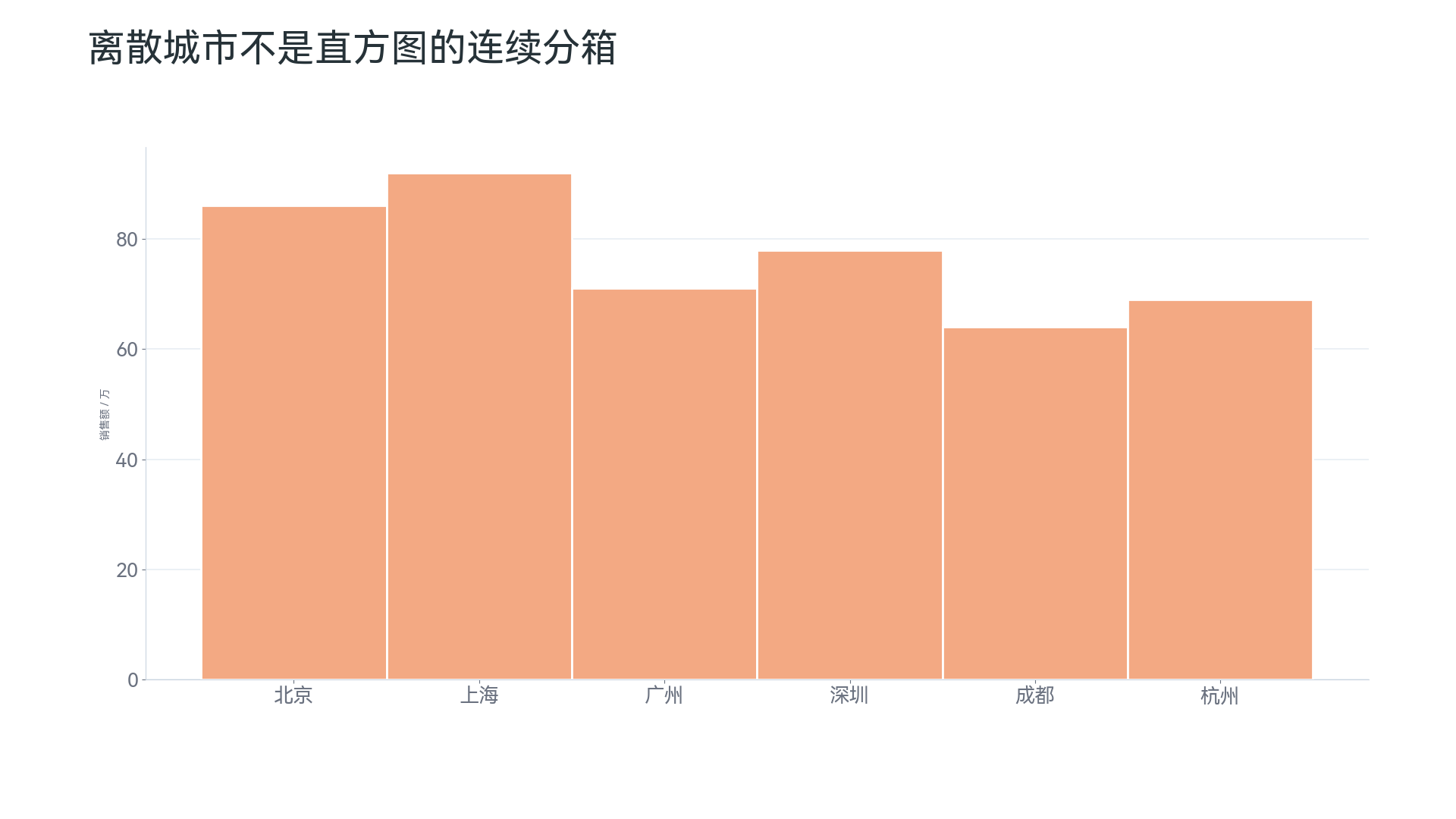
Also note: a column chart is not a histogram. Column charts usually compare discrete categories such as cities, departments, and products; histograms show the distribution of a continuous numeric variable, such as age, income, or order amount.
Line Charts: The First Choice for Time Trends#
Line charts are best suited to answering: “How did the data change over time?” For example:
- Whether monthly sales are growing;
- Whether daily active users fluctuate;
- Whether temperature shows seasonal changes;
- Whether a metric changed before and after a policy;
- Whether the long-term trend is rising, falling, or oscillating.
Microsoft’s line chart guidance says line charts are suitable for showing continuous data trends over equally spaced time axes, such as months, quarters, or fiscal years3. Tableau’s chart guide also mentions that line charts are suitable for showing trends across time intervals4.
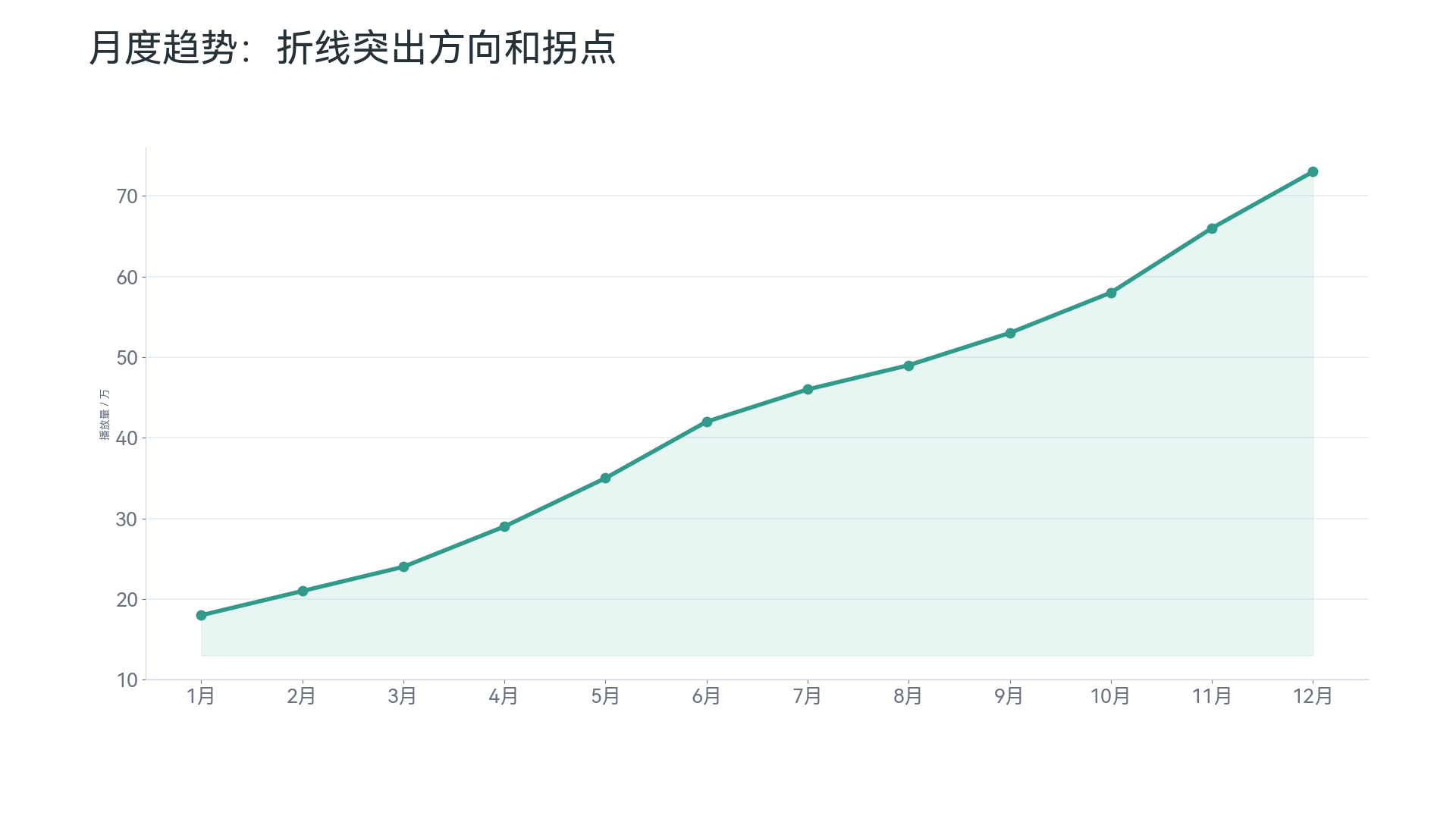
The core value of a line chart is not comparing one single point, but showing the “movement.” So when you care about trend, fluctuation, turning points, or cycles, a line chart is usually more suitable than a column chart.
For example, this kind of data suits a line chart:
| Month | Sales |
|---|---|
| January | 100 |
| February | 120 |
| March | 135 |
| April | 128 |
| May | 160 |
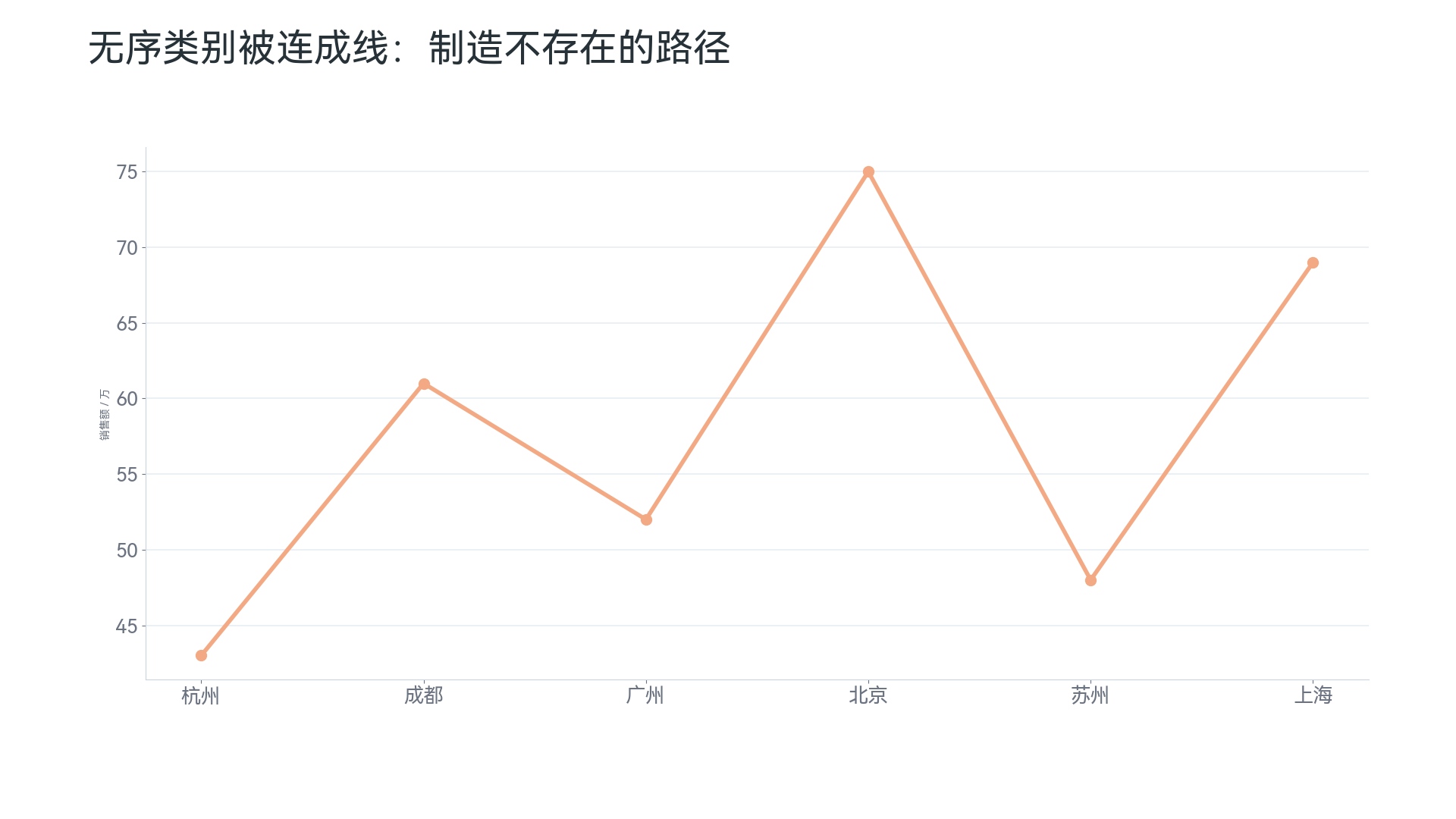
There is one important precondition when using line charts: the horizontal axis should preferably be continuous time, or at least have a clear order. Do not force unordered categories into a connected line, such as connecting “Beijing, Shanghai, Guangzhou, Shenzhen.” This implies a continuous relationship between them, but none actually exists.
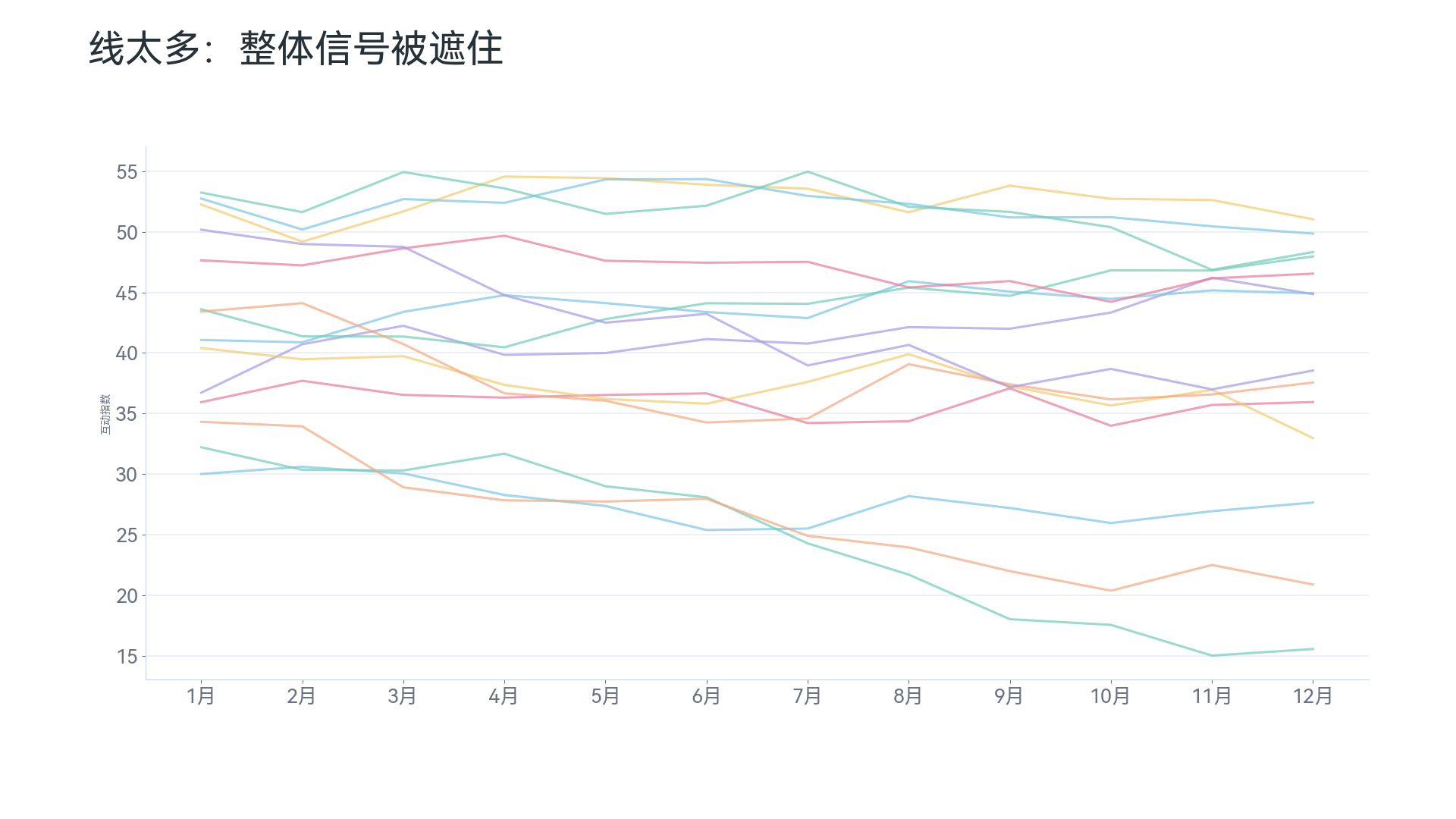
Do not use too many lines either. Three to five lines are still acceptable; more than ten lines stacked together are hard to read. When there are many categories, keep only the key categories or use small multiples.
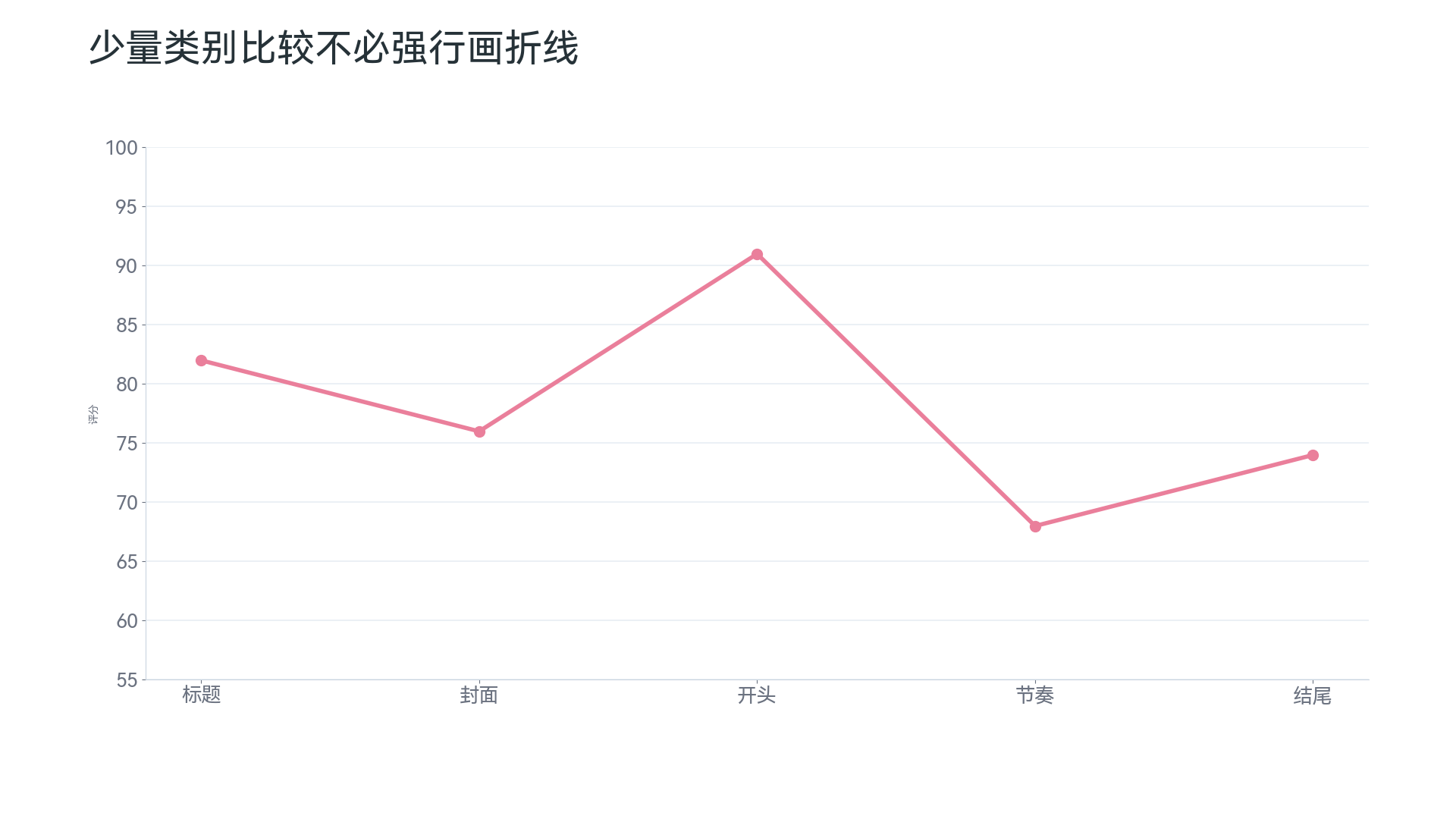
If you are only comparing the sizes of several categories, do not use a line chart just to make it “look like there is change.” Category comparison is better handled by bar charts or column charts.
Also, when ups and downs look very dramatic, check the vertical-axis scale. Over-compressing or stretching the vertical axis will affect how readers judge the trend.
Pie Charts and Donut Charts: Only for “A Few Categories as Parts of a Whole”#
Pie charts are suitable for answering: “What parts make up the whole? Roughly how much does each part account for?” For example:
- User source share;
- Market share;
- Budget composition;
- Cost structure;
- Proportions of different options in a survey.
Pie charts are very easy to abuse. Microsoft gives relatively clear conditions for using pie charts: they are suitable when there is only one data series, no negative values, almost no zero values, and every item represents a part of the whole. Microsoft also notes that donut charts are usually not as easy to read as pie charts, and in many cases stacked column charts or stacked bar charts can be considered instead5.
So pie charts are not forbidden, but they need to meet several conditions:
- There are few categories;
- All parts add up to one whole;
- You do not need very precise comparison of differences;
- Differences between parts are fairly obvious.
For example, this data can be considered for a pie chart:
| User source | Share |
|---|---|
| Organic search | 45% |
| Social media | 25% |
| Direct visits | 20% |
| Other | 10% |
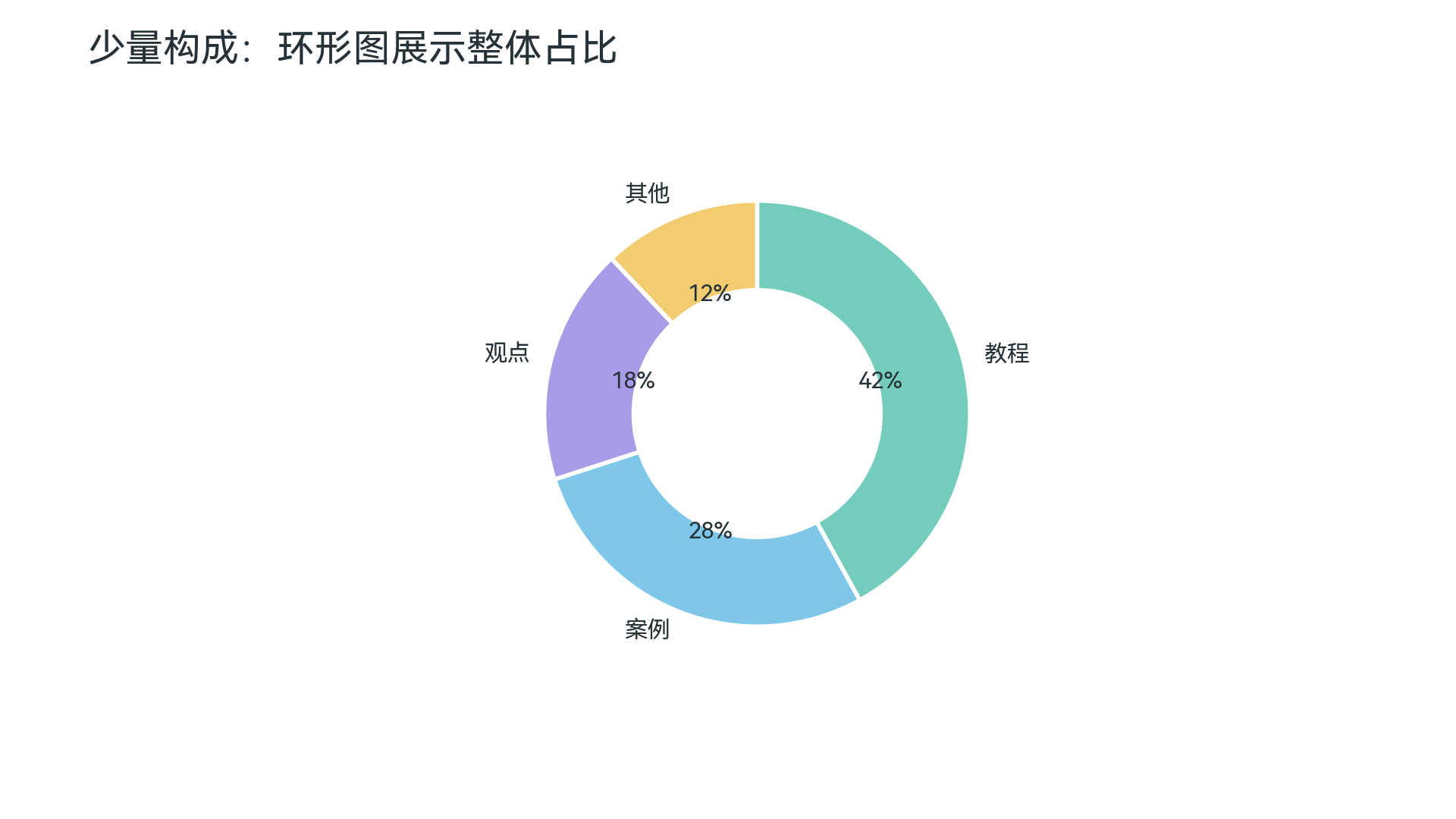
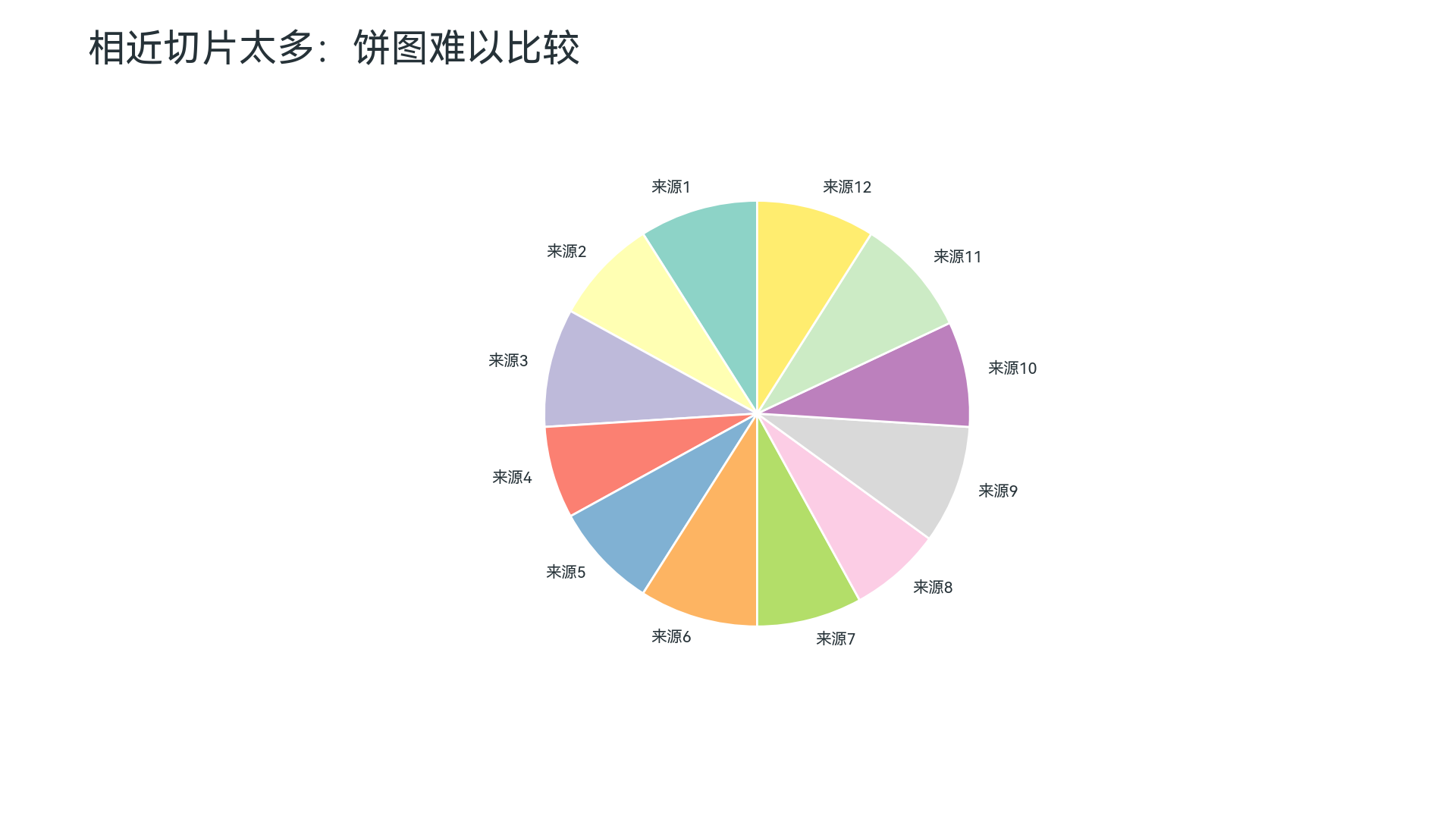
But if there are 12 categories and each category is about the same size, a pie chart is not recommended. The human eye has difficulty accurately comparing similar sector angles. A sorted bar chart is more recommended here.
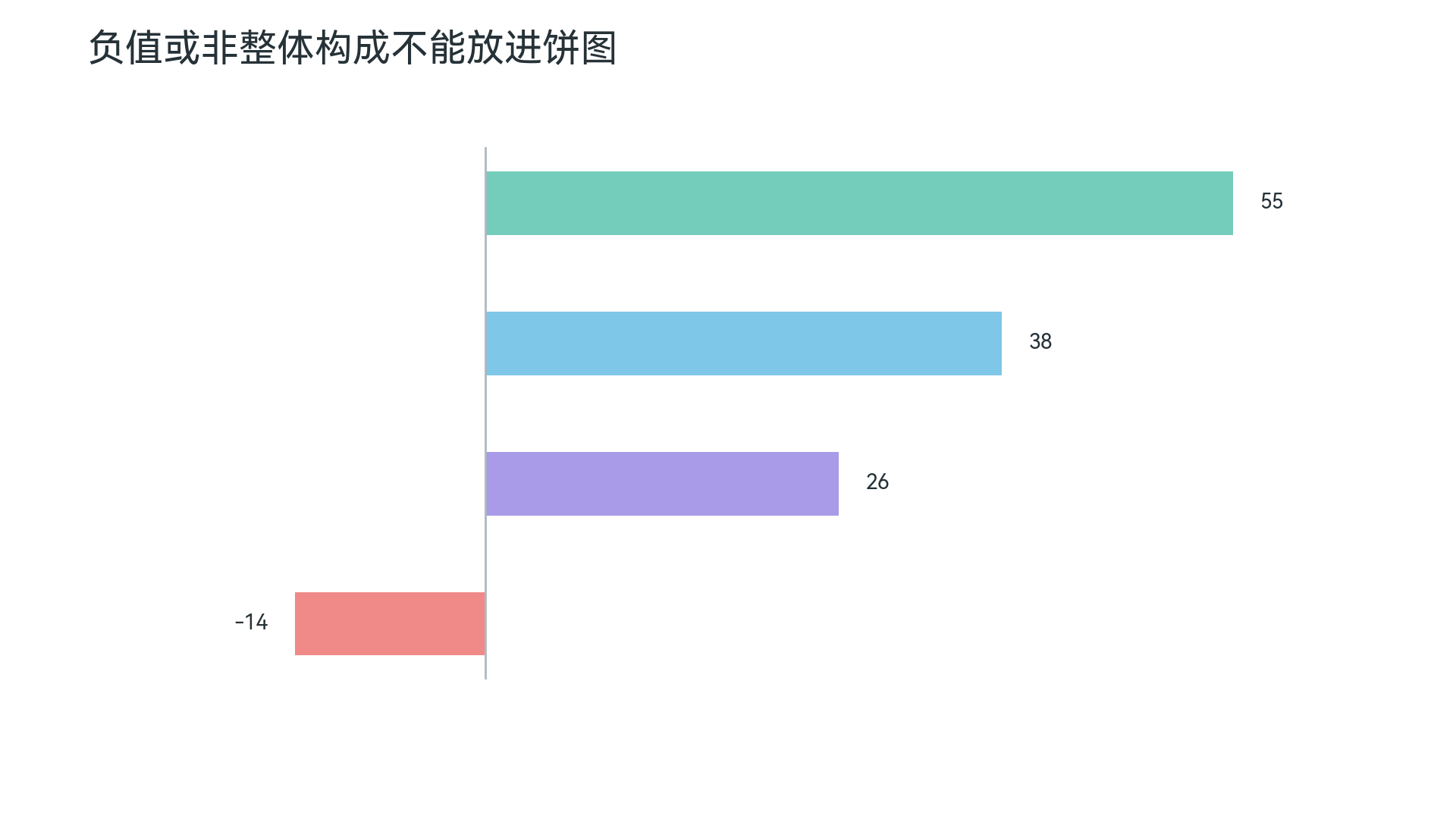
Pie charts are also not suitable for negative values. The premise of a composition chart is that “a whole is divided into several parts,” and negative numbers cannot naturally fit into that whole.
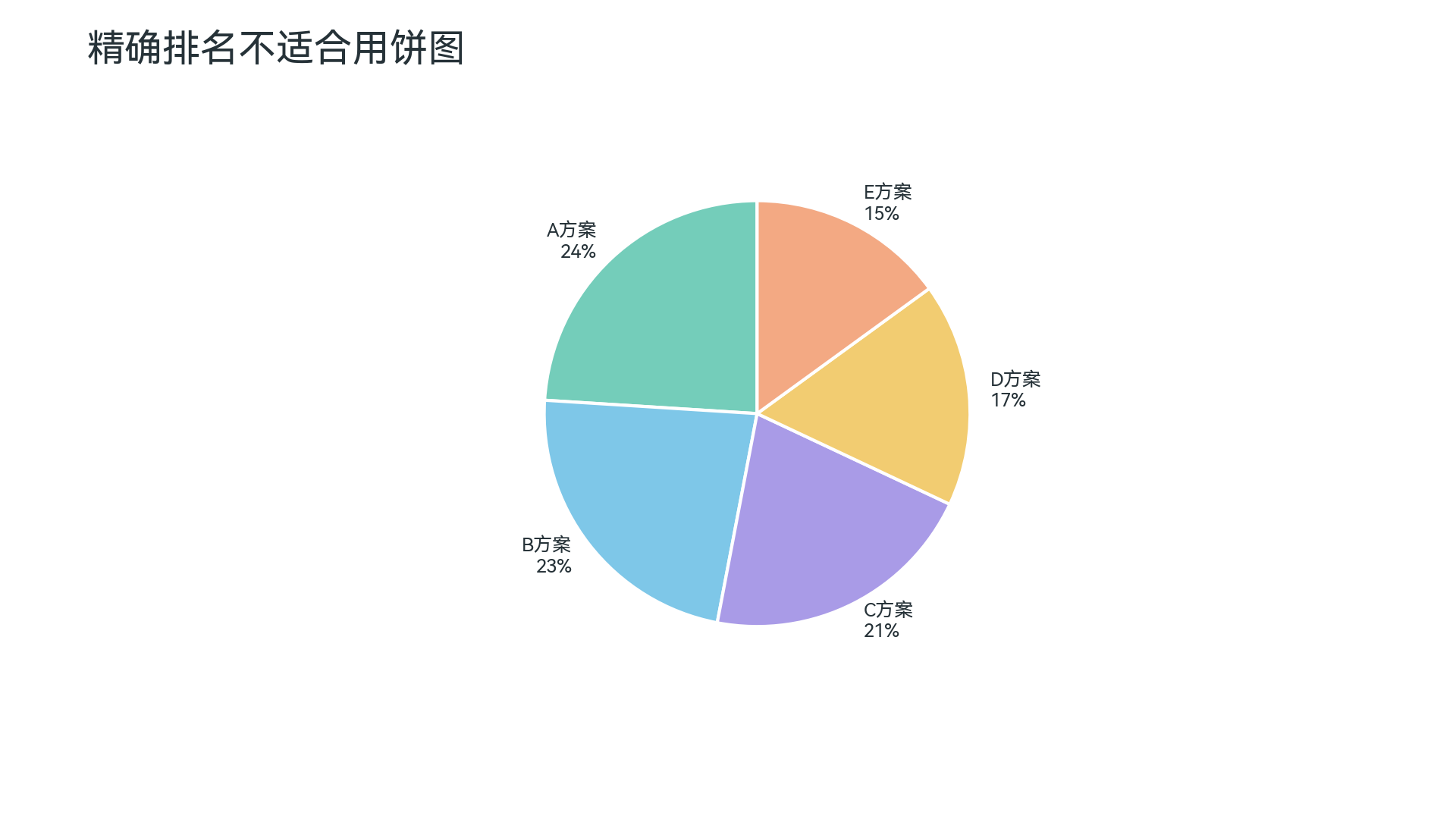
If your goal is to compare rankings or tiny differences precisely, a pie chart is not a good choice either. Readers cannot easily judge who is only a little larger than whom by angles.
Donut charts follow similar logic to pie charts. They simply add a hollow center, which looks more modern, but does not make the information more accurate. They can be used for simple shares, but should be treated cautiously for serious comparisons.
Scatter Plots: Observing the Relationship Between Two Numeric Variables#
Scatter plots are suitable for answering: “Is there a relationship between two variables?” For example:
- Whether advertising spend is related to sales;
- Whether house size is related to house price;
- Whether study time is related to exam score;
- Whether user usage time is related to renewal probability.
Both axes of a scatter plot are numeric variables, and each point represents one observation. Microsoft’s documentation says scatter plots use two value axes to combine x values and y values, and are often used to show and compare paired numeric data6. Tableau also describes scatter plots as charts for exploring correlations between two measures4.
For example, this kind of data suits a scatter plot:
| Ad spend | Sales |
|---|---|
| 1000 | 8500 |
| 2000 | 12000 |
| 3000 | 15600 |
| 4000 | 17000 |
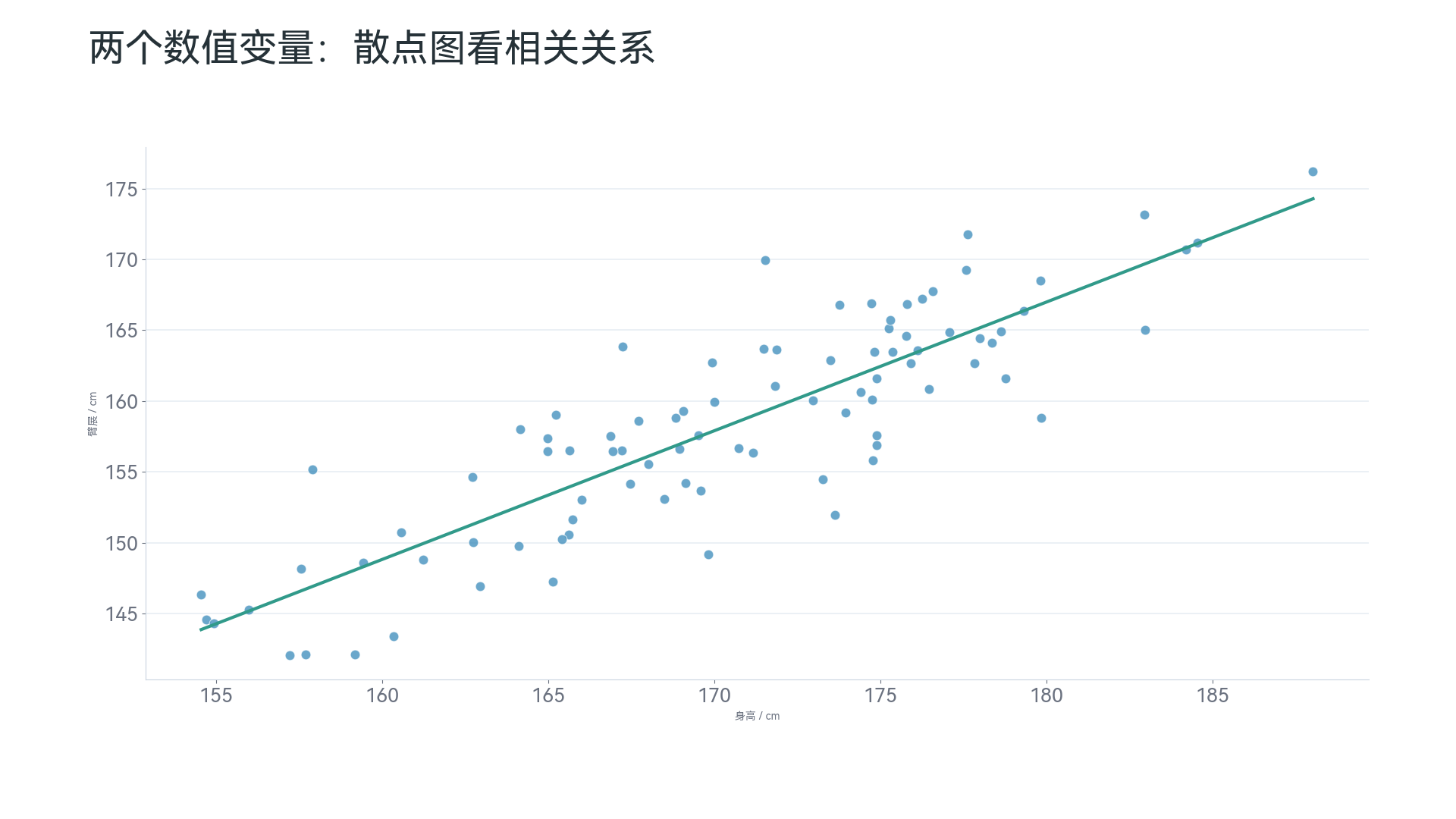
Scatter plots can help you observe several kinds of information:
- Points generally spread upward to the right, suggesting the two variables may be positively correlated;
- Points generally spread downward to the right, suggesting the two variables may be negatively correlated;
- Points are scattered with no clear direction, suggesting the relationship may be weak;
- Some points clearly deviate from the others, suggesting possible outliers;
- Points form several clusters, suggesting different groups may exist in the data.
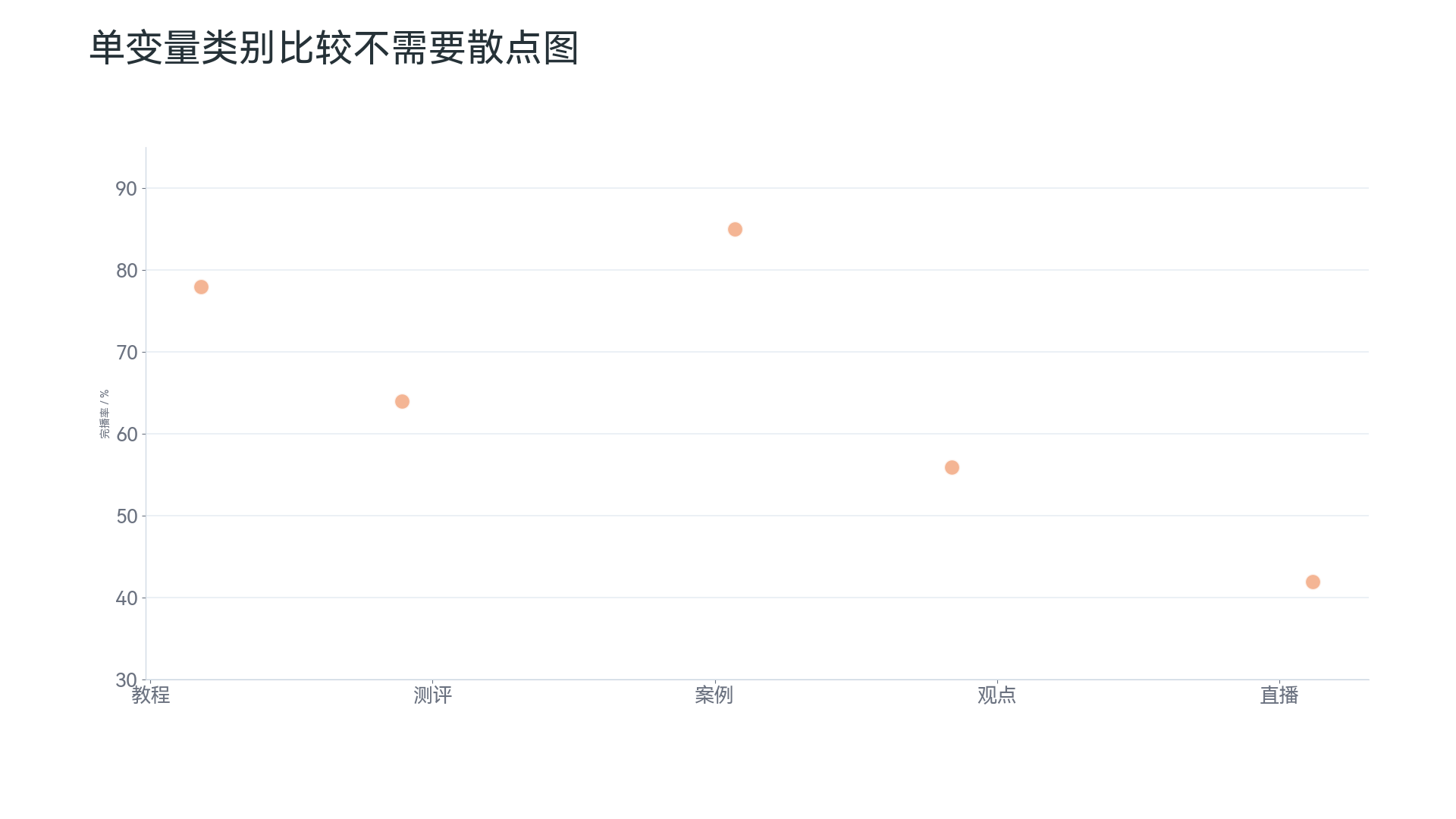
But if there is only one numeric variable and the other is just a category, such as “city” and “sales,” a scatter plot is not suitable. Category comparison is more direct with a bar chart or column chart.
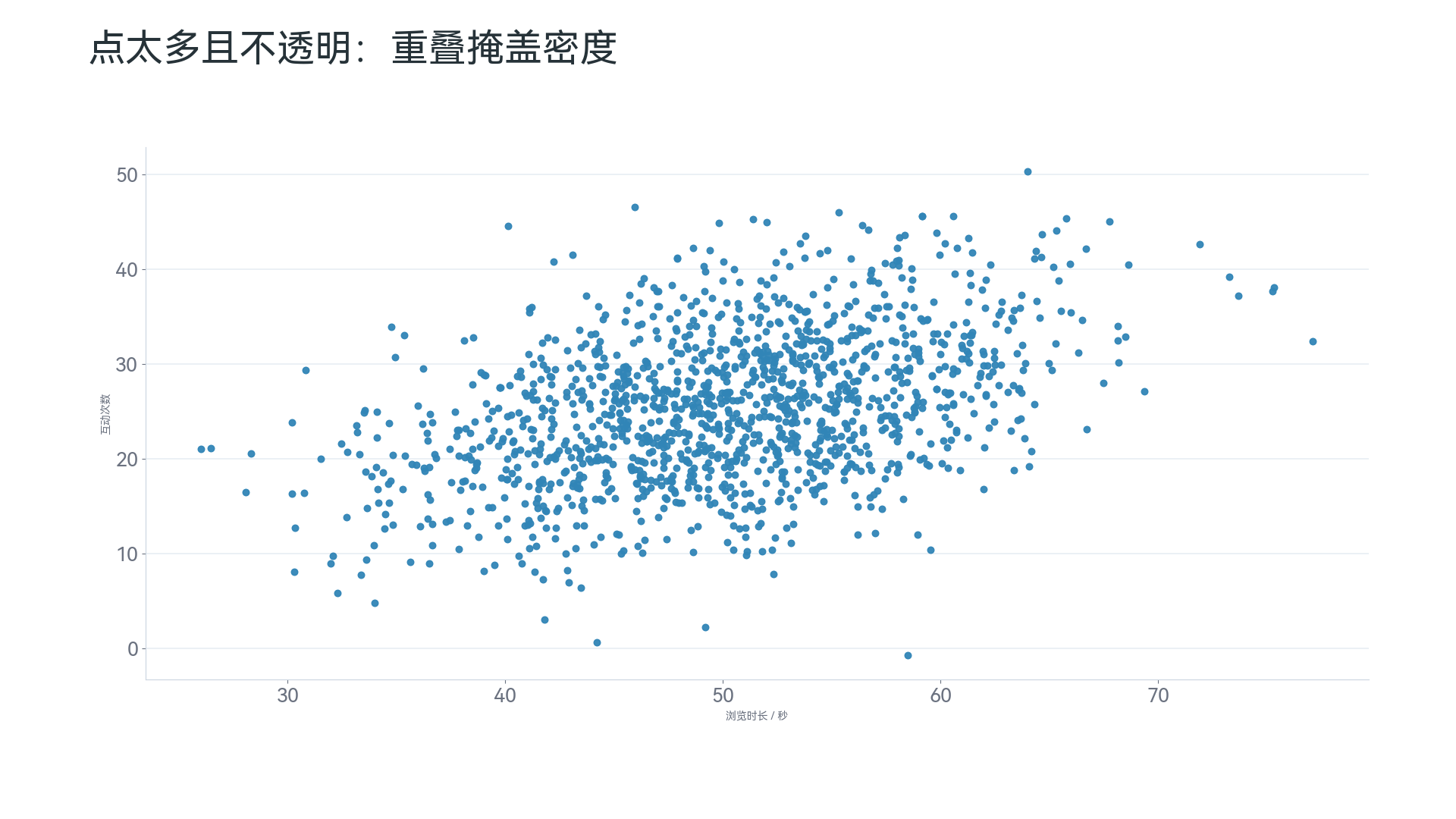
Scatter plots have another issue: when there are too many points, they overlap and look like a blob of ink. In this situation, consider transparency, sampling, faceting, or switching to a chart better suited to density.
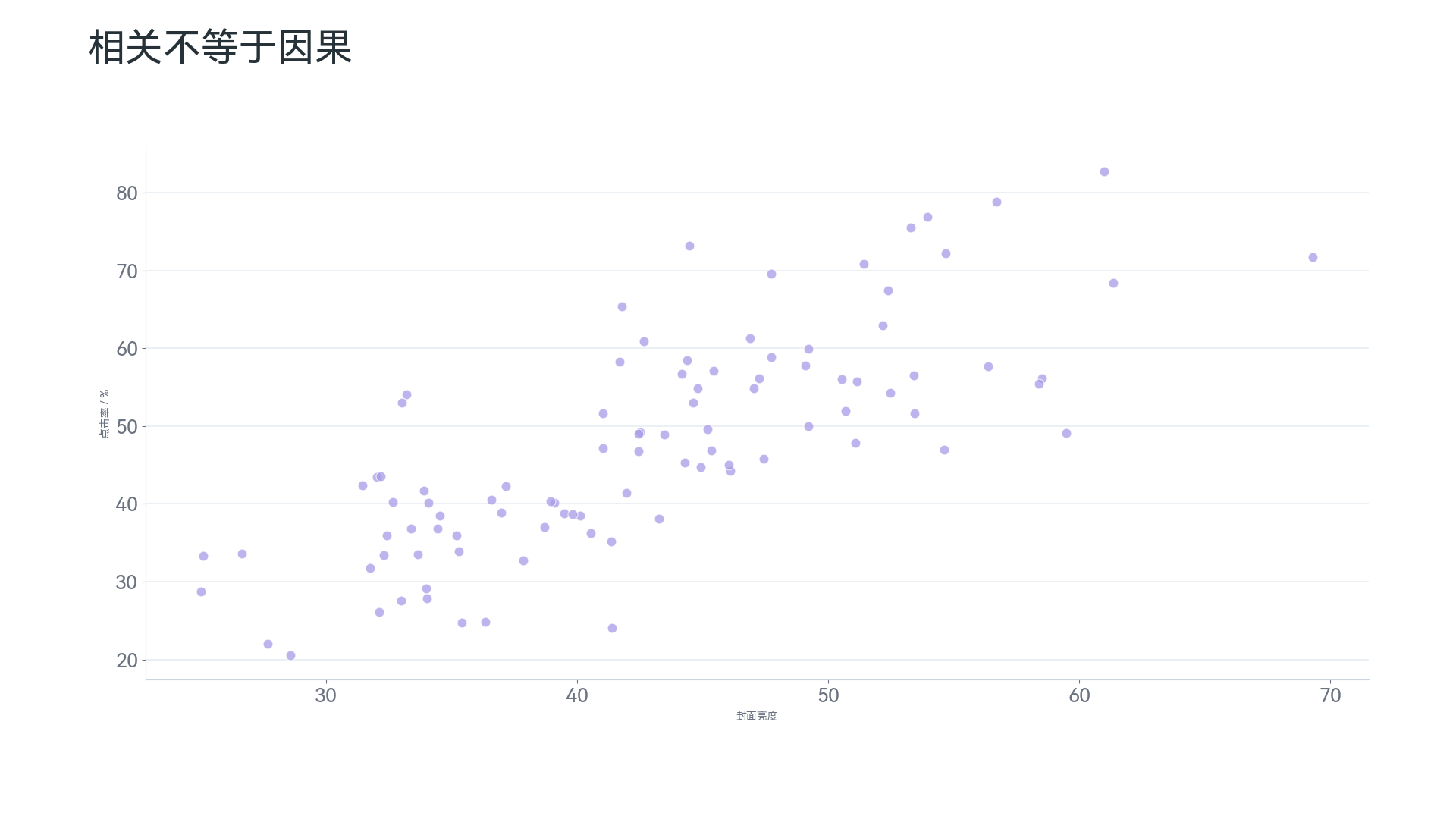
You can add a trend line to a scatter plot, but be careful: correlation is not causation. For example, a positive correlation between advertising spend and sales does not mean sales growth was necessarily caused by advertising spend; other factors may affect both at the same time.
A bubble chart is an extension of a scatter plot. Beyond the horizontal and vertical axes, it uses bubble size to represent a third variable, such as “ad spend—sales—profit.” But bubble sizes are not easy to compare precisely, so do not put too many bubbles in one chart.
Histograms: Looking at the Distribution of Continuous Values#
Histograms are suitable for answering: “Where are a set of values mainly concentrated?” “Is there skew?” “Is there a long tail?” “Are there outliers?” For example:
- User age distribution;
- Order amount distribution;
- Page dwell-time distribution;
- Employee salary distribution;
- Exam score distribution.
Tableau describes histograms as charts that divide a continuous measure into bins to analyze distribution; Tableau’s chart-selection guide also classifies histograms, box plots, and similar charts as distribution charts4.
The key to a histogram is “binning.” For example, order amounts are not shown order by order, but divided into:
- 0–100 yuan;
- 100–200 yuan;
- 200–300 yuan;
- 300–500 yuan;
- Above 500 yuan.
Then the chart counts how many orders fall into each interval.
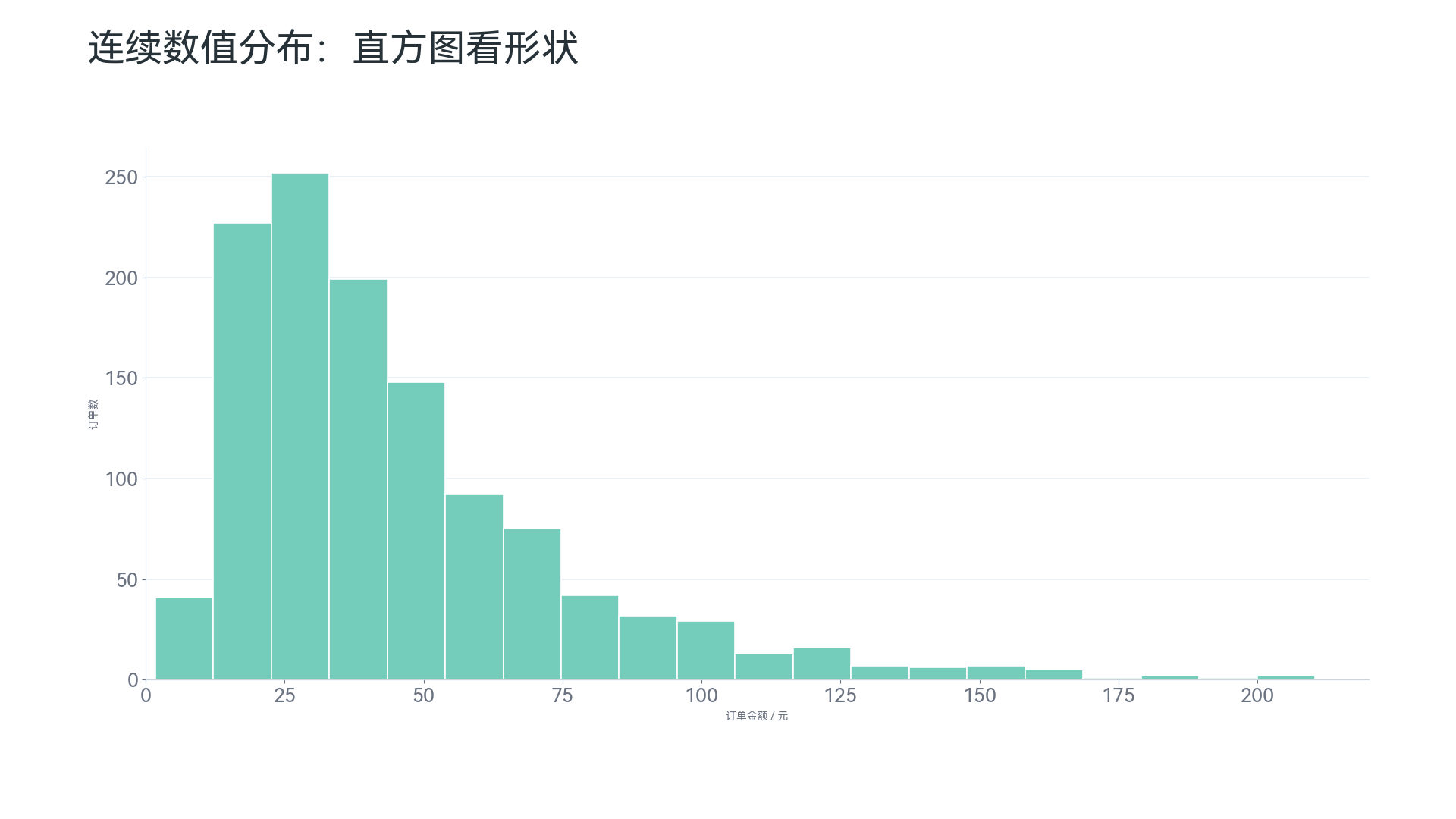
This kind of chart is suitable for discovering the overall shape of the data. For example:
- Which interval most orders are concentrated in;
- Whether a small number of high-priced orders form a long tail;
- Whether the data is approximately normally distributed;
- Whether there are obvious abnormal intervals.
Histograms and column charts look similar, but they mean different things. Column charts compare categories, and the horizontal-axis order can be changed; histograms show continuous numeric intervals, and the horizontal-axis order cannot be changed casually.
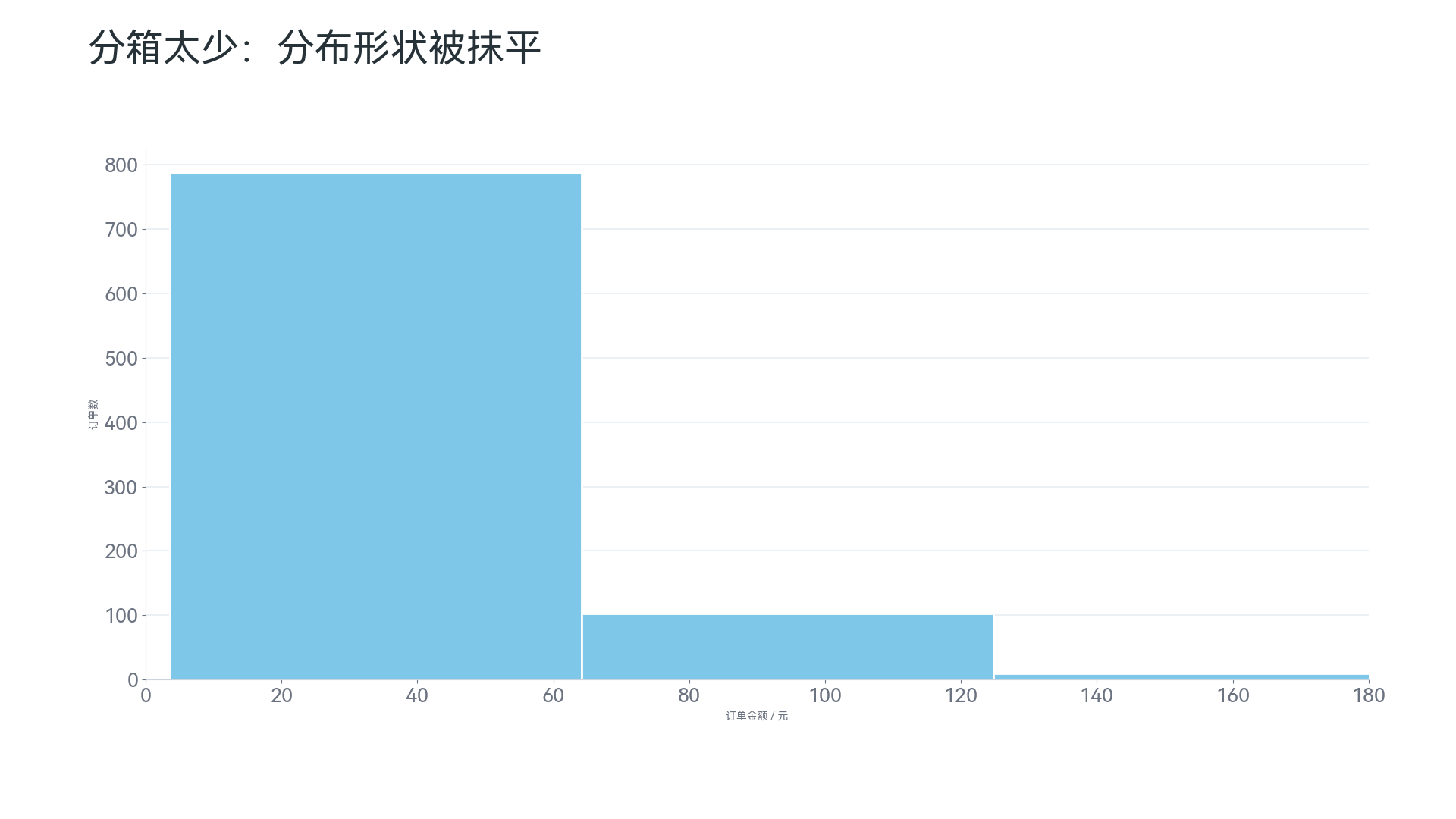
Histograms also require attention to the number of bins. Too few bins merge the data excessively and hide details.
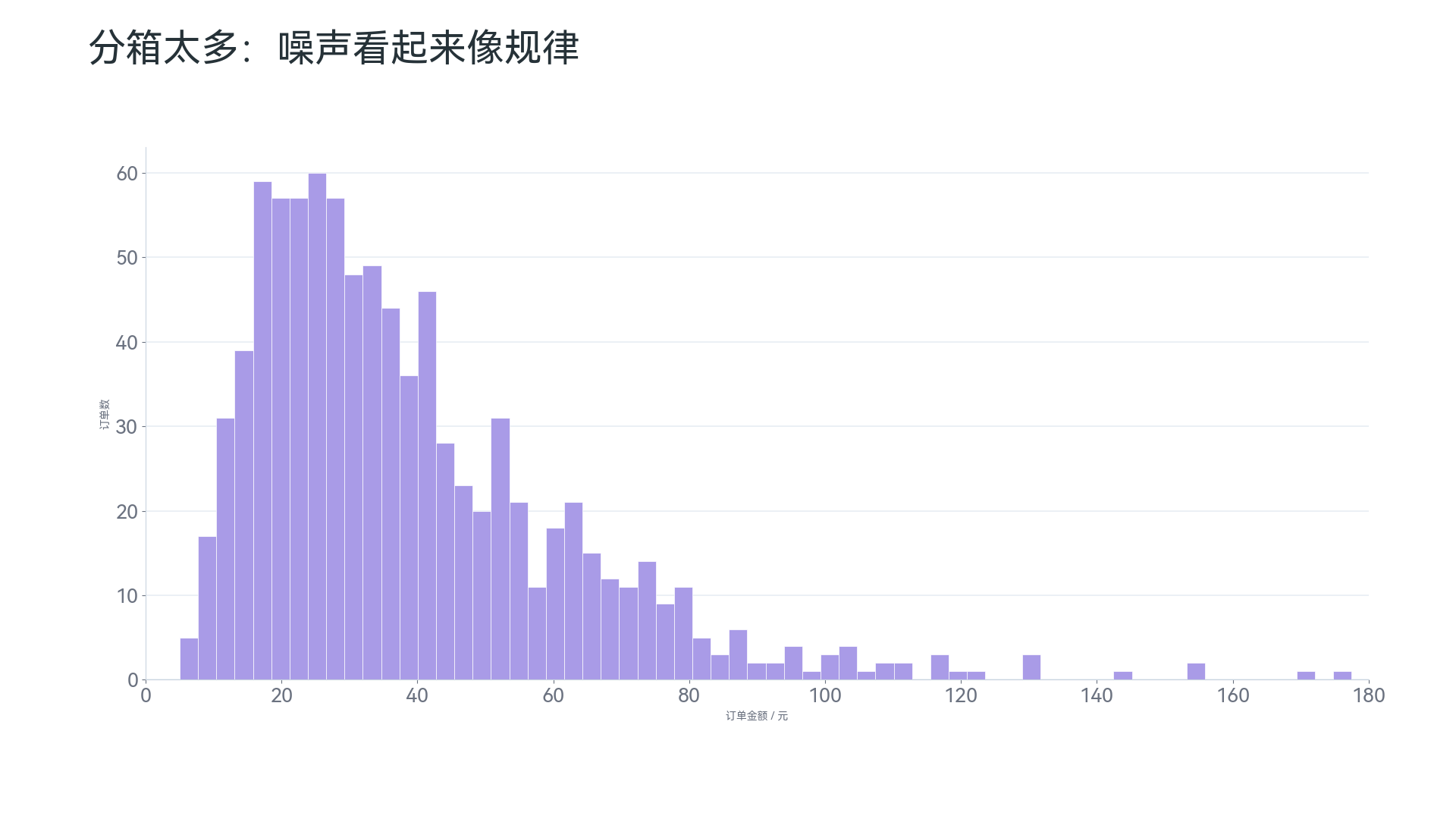
Too many bins are also bad. The chart becomes too fragmented, and readers may mistake random fluctuation for a real pattern.
In Practice, Ask Yourself in This Order#
If you do not know where to start, ask in this order:
- Am I comparing category sizes? If yes, use a bar chart or column chart.
- Am I looking at rankings? If yes, use a sorted bar chart.
- Am I looking at changes over time? If yes, use a line chart.
- Am I looking at what parts make up a whole? If yes, use a pie chart or donut chart cautiously.
- Am I looking at whether two numeric variables are related? If yes, use a scatter plot.
- Am I looking at where a set of continuous values is mainly concentrated? If yes, use a histogram.
This order is not complicated, but it is practical. It helps you first identify the question the chart needs to answer, and then decide the specific chart type.
In daily use, you can also remember these sentences:
- To compare sizes, use a bar chart or column chart;
- To show rankings, use a sorted bar chart;
- To observe trends, use a line chart;
- To show shares, use pie charts cautiously;
- To analyze relationships, use a scatter plot;
- To view distributions, use a histogram.
One more note: if a chart makes readers spend a long time first figuring out “how to read this chart,” it is usually not the most suitable chart.
Conclusion#
The most common charts are not complicated, but they are often used incorrectly. Bar charts, column charts, line charts, pie charts, scatter plots, and histograms all look basic, yet the questions they answer are completely different.
The three most important conclusions in this article are:
- Ask the question first, then choose the chart. Do not start from “does it look good,” but from “what question needs to be answered.”
- Basic charts are not low-level charts. Common charts such as bar charts, line charts, and scatter plots are often the safest choices and the least likely to mislead readers.
- Every chart has boundaries. Pie charts are not suitable for precise ranking, line charts are not suitable for unordered categories, and histograms cannot be used to compare discrete categories.
When a chart is chosen well, readers can understand what you want to express at a glance; when a chart is chosen poorly, even accurate data can be misread. So when selecting a chart, do not first ask “which chart is advanced.” Ask first: “What conclusion do I want readers to reach after seeing this chart?”
Next Part Preview: How to Choose Advanced Charts?#
The next article will continue with charts that are less basic but very useful in data analysis and business reporting, including:
- Heat maps: suitable for showing the strength distribution of two-dimensional cross data, such as order volume by “weekday × hour”;
- Box plots: suitable for comparing data distribution, dispersion, and outliers across groups;
- Waterfall charts: suitable for explaining how a result is formed by a series of increases and decreases;
- Funnel charts: suitable for analyzing conversion flows such as registration, ordering, payment, and repeat purchase;
- Sankey diagrams: suitable for showing flow relationships such as capital flow, user paths, and energy flow;
- Maps: suitable for expressing geographic spatial patterns, but not all regional data must use maps;
- Treemaps: suitable for showing hierarchy and part-to-whole relationships;
- Radar charts: suitable for multi-metric profiles, but should be used carefully.
The focus of the next article will be: when basic charts are not enough, how to choose more advanced charts while avoiding sacrificing readability just to look “cool.”