Introduction#
In daily work, we often need to translate different kinds of documents, such as Word files, Excel sheets, subtitles, and ebooks. Many online services either produce mediocre translations or charge too much.
Here I recommend a practical open-source document translator: DocuTranslate (license: MPL-2.0). It supports many common document formats, including:
- Documents:
pdf,docx,md,txt,json - Ebooks:
epub - Spreadsheets:
xlsx,csv - Subtitles:
srt,ass - Images:
png
Special note: for PDF files, DocuTranslate first converts the file into Markdown and then sends it to an LLM for translation. Therefore, for PDF documents with very strict layout requirements, I recommend PDFMathTranslate.
Project discussion QQ group: 1047781902 The author also has a Bilibili account: Xunbu blbl’s Bilibili profile
Download#
Go to the GitHub releases page and download the integrated package for your operating system. It requires no installation and can be launched directly:
👉 Releases · xunbu/docutranslate
User Guide#
Step 1: Choose a Workflow#
At the top of the configuration panel on the left, choose the processing workflow that matches your document type. “Automatically select workflow” is enabled by default. You only need to upload the file, and the system will match a suitable workflow automatically.
Step 2: Configure Parameters#
Workflow-Specific Options#
1. Parsing Configuration (for “Convert to Markdown, Then Translate”)#
- Parsing engine: choose MinerU (online) or docling (local). docling is only available in the full version.
- MinerU Token: required when using MinerU. Go to the MinerU website and create one under API Token Management. The token is valid for 14 days by default.
2. Translation Options (for plain text / DOCX / XLSX / SRT / ASS / EPUB / HTML)#
- Insertion mode: configure how the translation is inserted:
- Replace the original text
- Append after the original text
- Insert before the original text
- Separator: used to distinguish source text and translation, commonly
\Nin subtitle translation.
3. JSON Path Configuration#
- JSONPath to translate: one expression per line, for example
$.items[*].title. The syntax followsjsonpath-ng. Some syntax examples:
| Category | Syntax | Meaning |
|---|---|---|
| Basic syntax | $ | Root object |
| Basic syntax | [ idx ] | Array access (always unambiguous from field access) |
| Operator | jsonpath1 . jsonpath2 | Starting from any node matched by jsonpath1, select all nodes matched by jsonpath2 |
| Field | fieldname | Field fieldname in the “current” object |
| Field | * | Any field |
| Field | field , field | Either of the two fields (can also use ` |
| Array (idx) | [n] | Array index (can be a comma-separated list) |
| Array (idx) | [*] | Any array index |
General Options#
Translation Model Settings#
Platform / API URL / API Key / Model ID: configure these according to the platform you use.
Skip translation: only run structural parsing and format conversion, without calling the LLM. This can be used for pre-checking or for creating a glossary.
Thinking mode: recommended to disable. This reduces structural instability and missed translations.
Translation Control Parameters#
Target language: for example
ChineseorEnglish.Custom Prompt: add instructions such as “keep personal names unchanged.”
Advanced parameters:
chunk_size: chunk size. Larger chunks usually produce more stable translation quality. I recommend no more than8000bytes.concurrent: concurrency count. It is limited by the platform’s rate limits, so adjust it based on the actual platform limits.timeout: API timeout.retry count: how many times to retry after an LLM translation failure.
Glossary Support#
Upload glossary (optional): upload a CSV file to keep terminology consistent.
Automatically generate glossary: when enabled, the system extracts terms first and then translates. Since
v1.4.8, custom term-extraction prompts are supported.
Step 3: Upload Files#
In the task area on the right, click or drag files in to upload documents. Batch upload is supported.
Step 4: Start Translation#
After the file is uploaded successfully, click the Start Translation button in the lower-right corner of the task card.
Step 5: View and Download Results#
After translation is complete, each task card shows:
Preview: click to compare the source text and translation in the right panel and check layout and terminology accuracy.
Download: export as PDF, DOCX, Markdown, HTML, and other formats.
- HTML/XHTML to PDF export is available through the UI.
Attachments: auxiliary files such as glossaries are automatically included in the download list.
Examples of Translated Files#
Below are screenshots from real file translations.
DOCX (Word Document)#
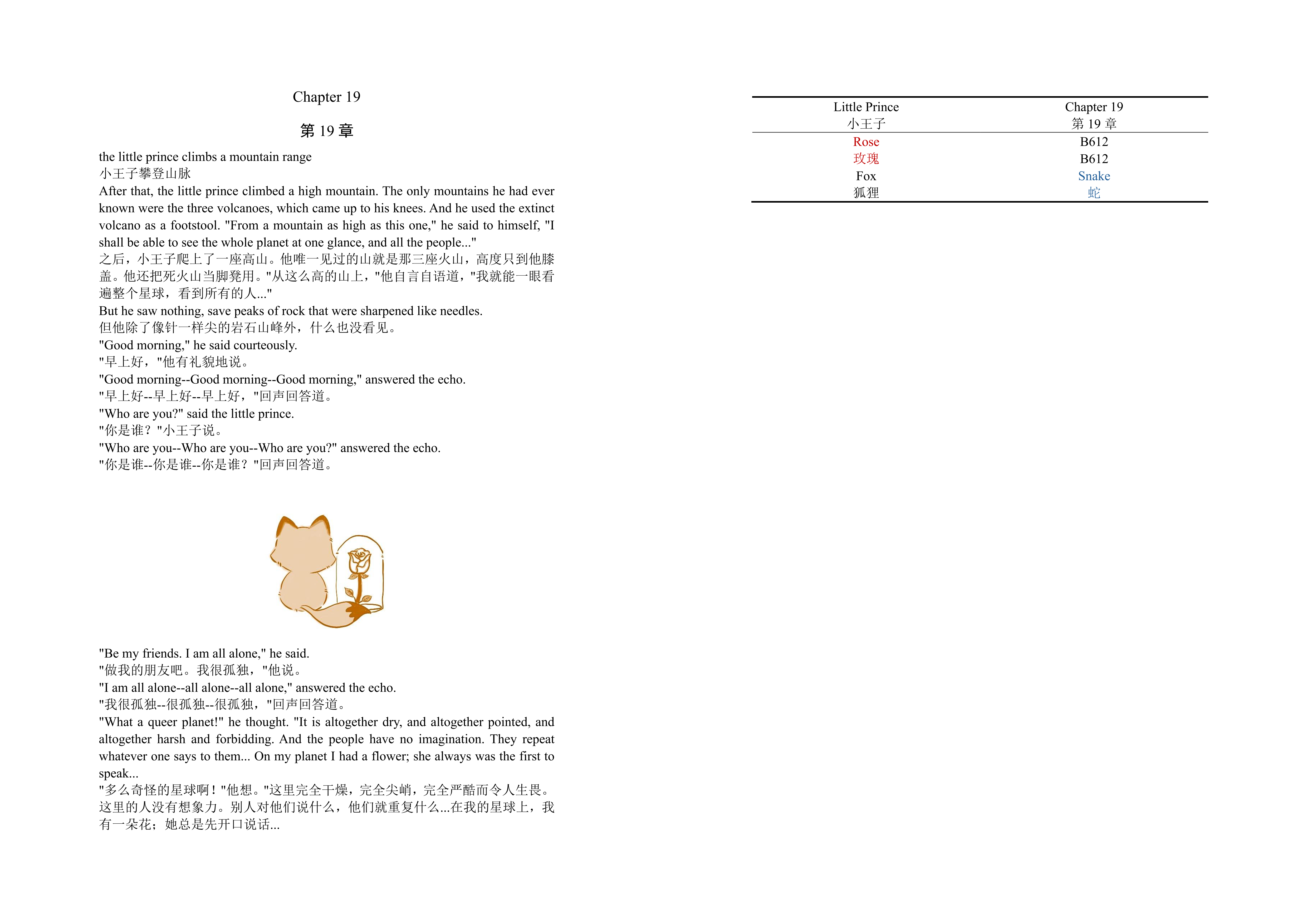
This is the translation result for Chapter 19 of The Little Prince. The source document contains tables and images, and the translation preserves all structure and styling.
XLSX (Excel Spreadsheet)#
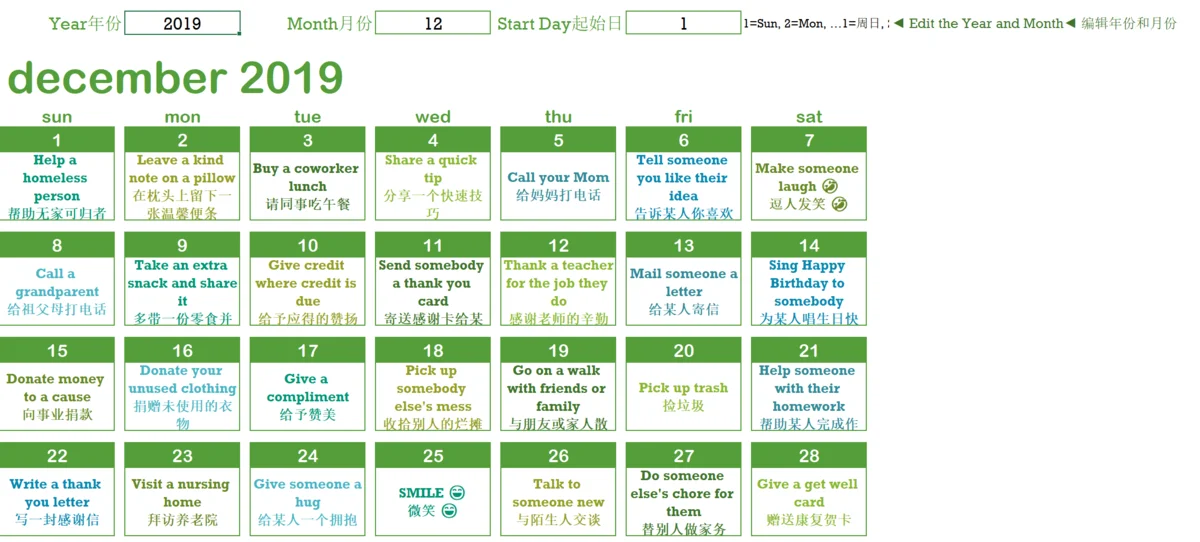
Formatting, colors, merged cells, and similar spreadsheet details are preserved well:
JSON#
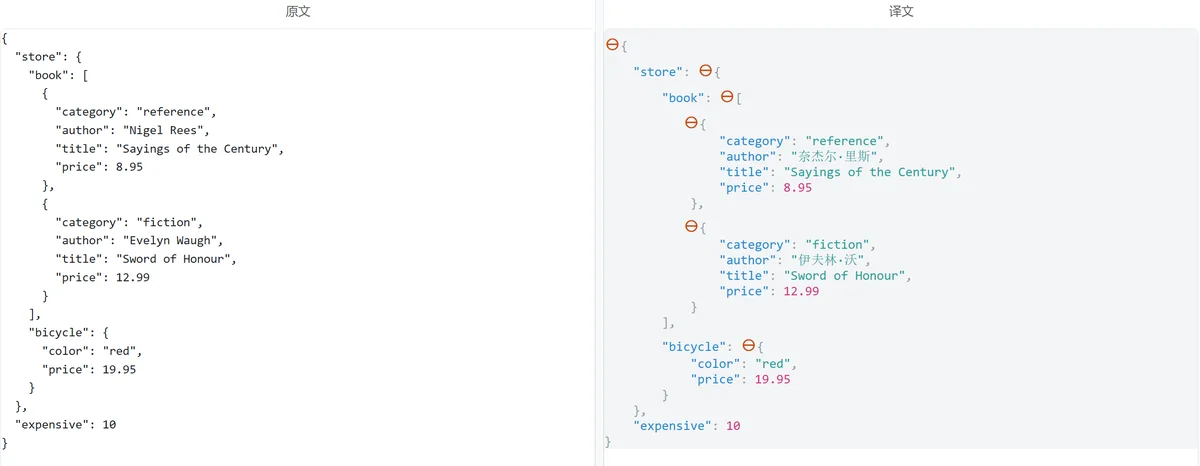
JSON content can be translated precisely according to the path while keeping the structure intact. Here I entered $.store.book[*].author, so only the author field in book is translated:
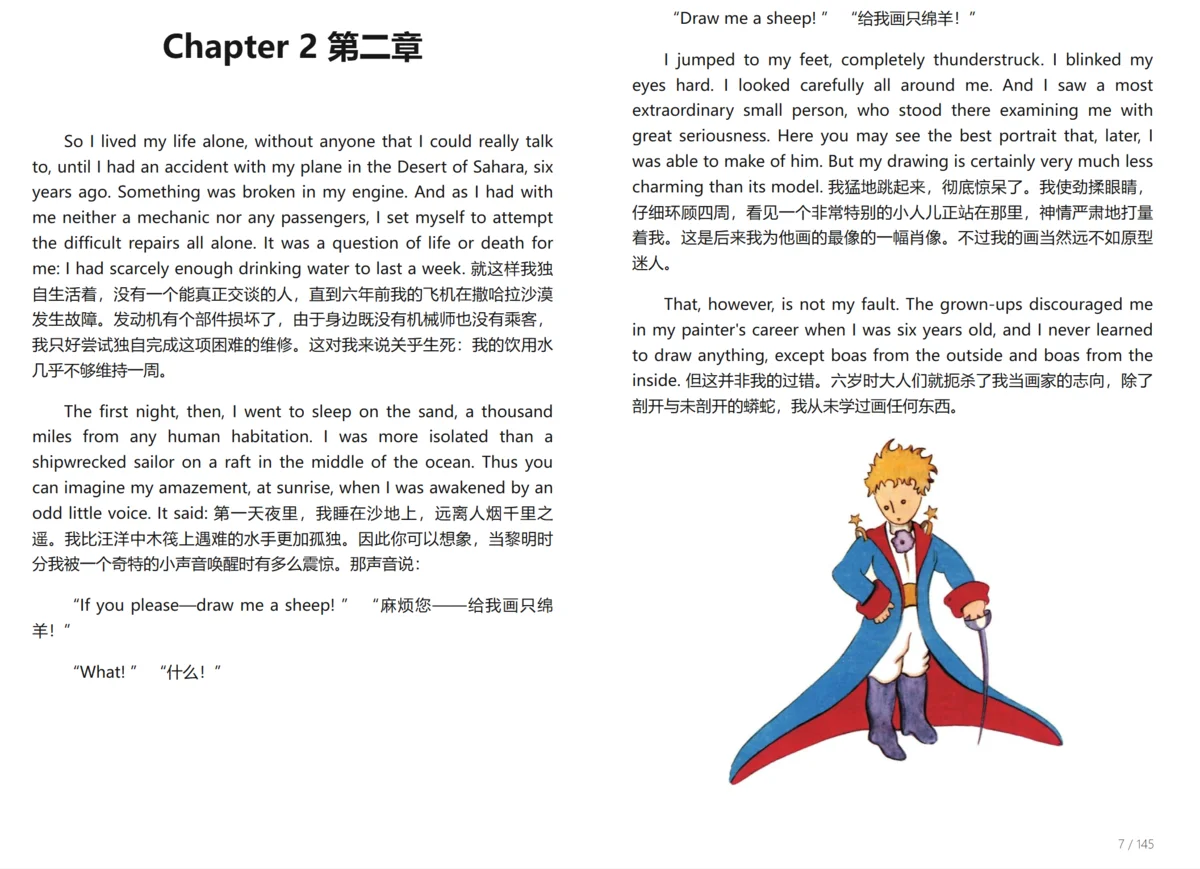
EPUB (Ebook)#
The chapter structure and paragraph styles of the ebook are preserved:
PDF (Automatic Conversion to Markdown)#
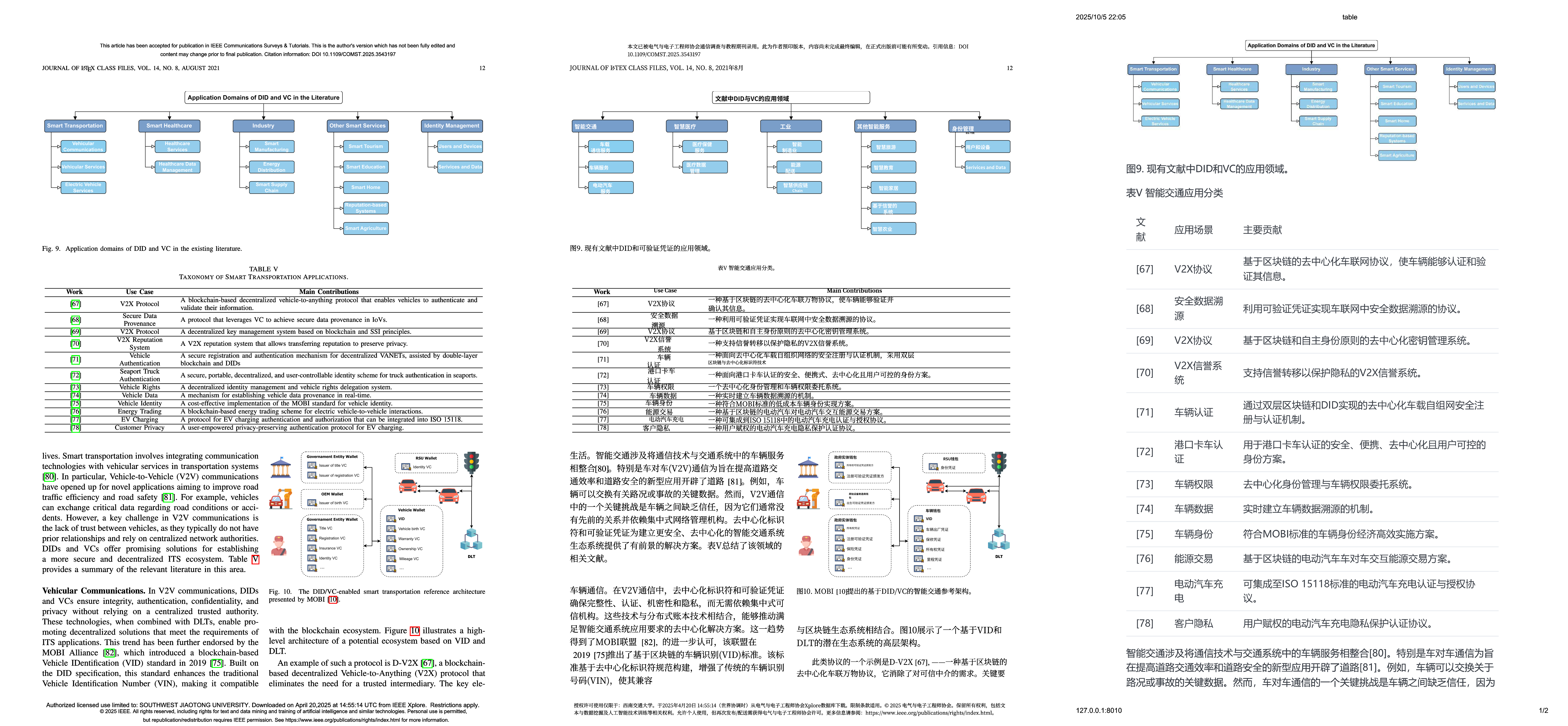
The PDF result is relatively average, and the structure can be damaged easily. The comparison below shows the original image on the left, pdf2zh in the middle, and DocuTranslate on the right:
For papers with complex mathematical layout or format-sensitive content, I recommend PDFMathTranslate.
Closing Notes#
DocuTranslate provides an open-source, customizable document translation solution. It is especially suitable for developers, researchers, and teams with specific terminology requirements. It can run locally, is highly configurable, supports mainstream LLM platforms, and is a strong alternative to expensive commercial tools.
If you want to participate in development, contribute new features, or report bugs, visit the GitHub project page:
👉 xunbu/docutranslate · GitHub
👉 Project discussion QQ group: 1047781902