Before we start#
When organizing references in Zotero, a common problem is how to quickly convert the bibliographic information of Chinese-language literature into an English citation format. This post summarizes two efficient paths—Google Scholar capture and manual metadata entry—and adds a few small details that are easy to overlook.
Method 1: capture through Google Scholar#
Some Chinese journals are indexed by Google Scholar, so you can use the Zotero browser connector to capture English metadata directly.
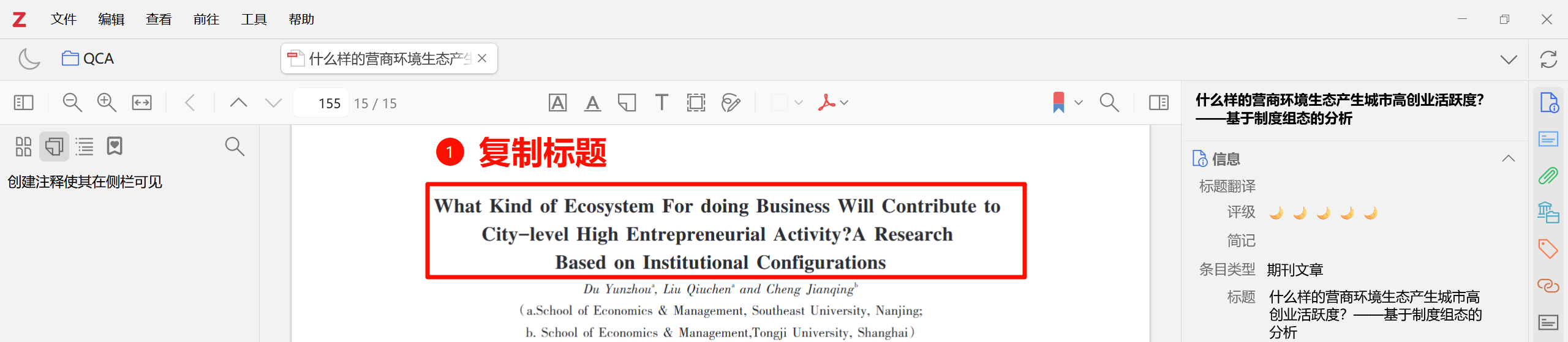
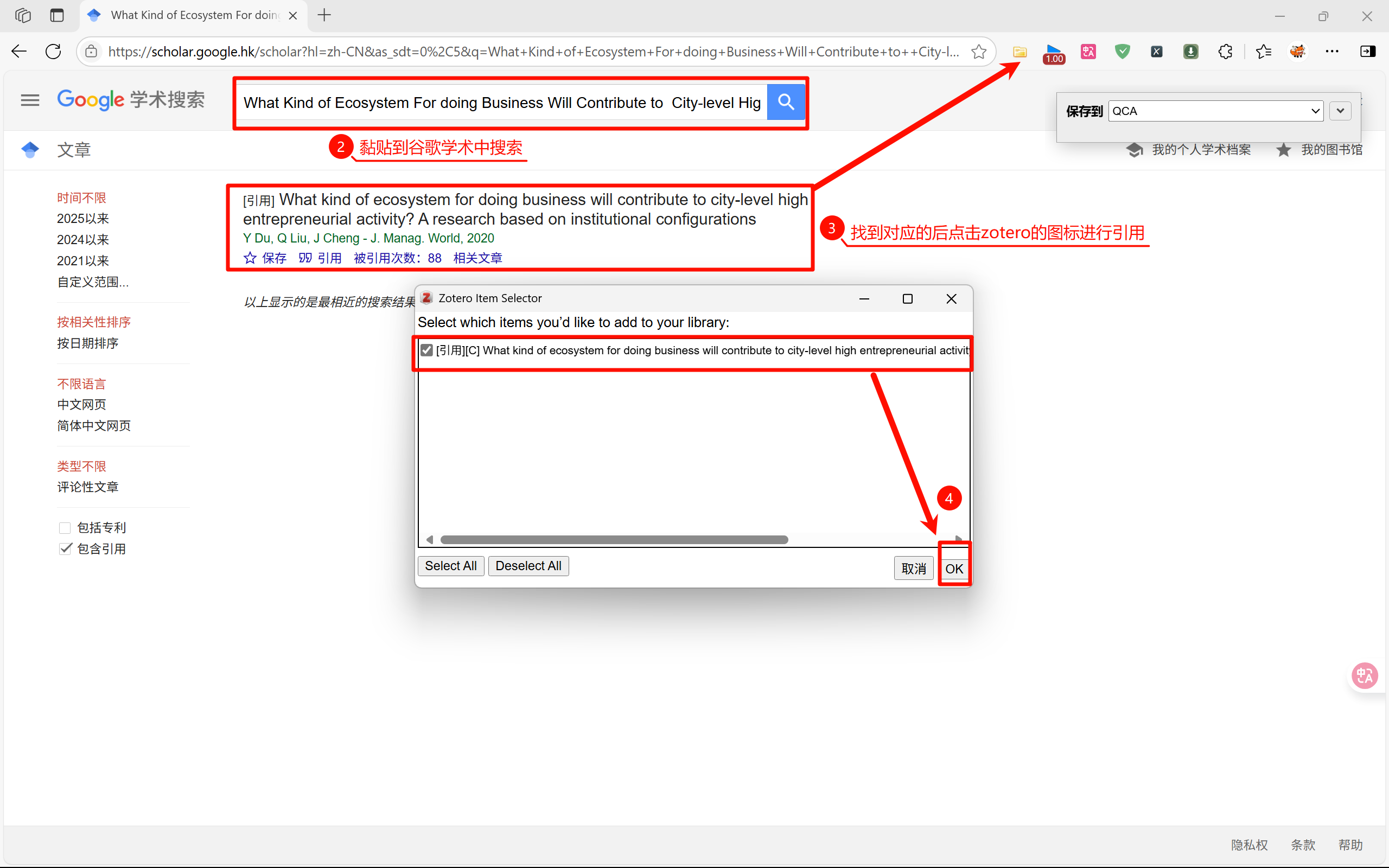
- Copy the English title of the Chinese paper and search it in Google Scholar.
- Click the Zotero book/paper icon near the address bar to save the item.
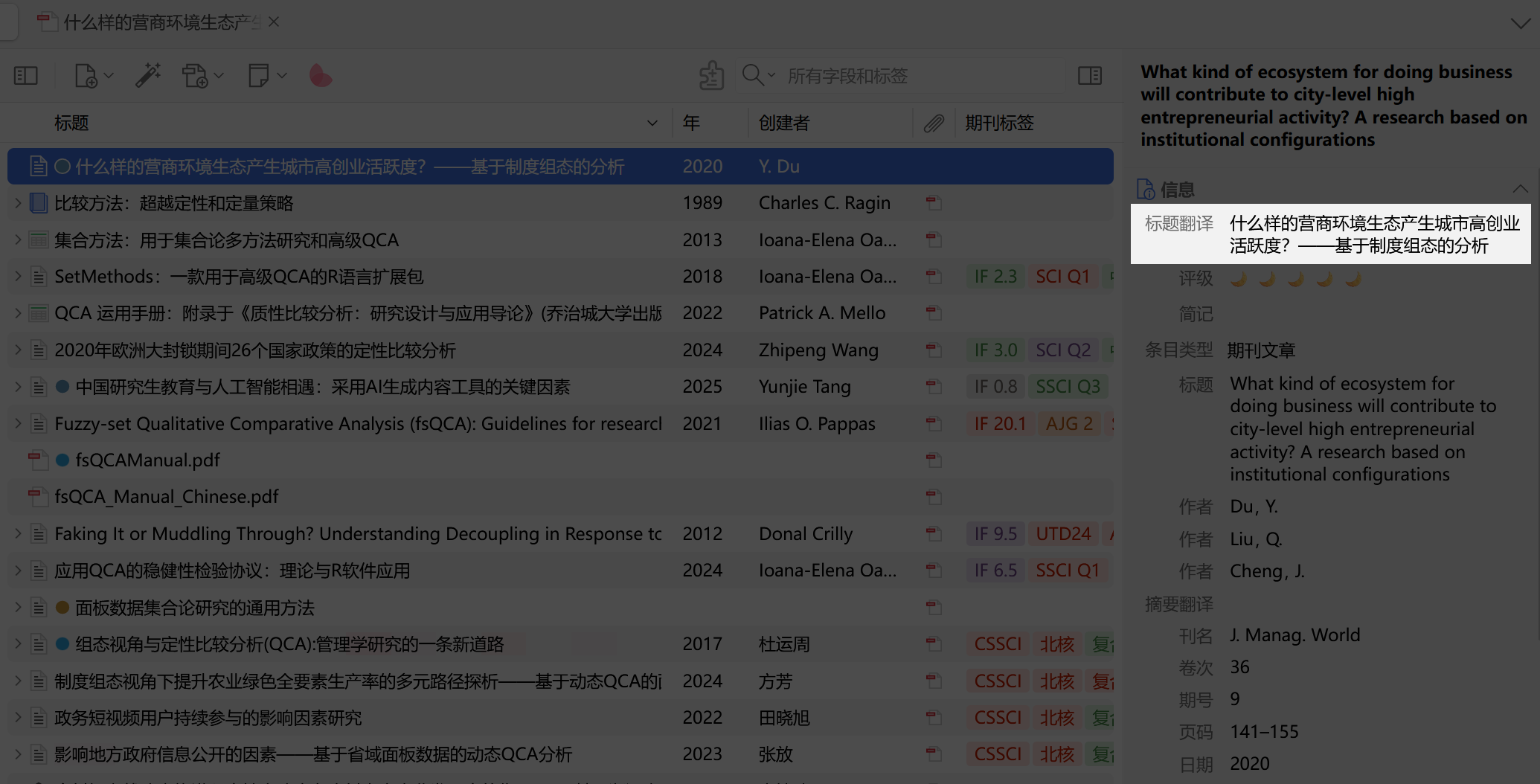
- Return to Zotero and complete missing fields:
- enter the Chinese title in the Title Translation field for later search;
- compare the PDF or journal page and fill in missing DOI, volume, issue, and pages.
Why fill in “Title Translation”? Zotero supports multilingual fields. One item can keep original-language information while switching citation styles between languages, avoiding duplicate libraries and missing metadata.
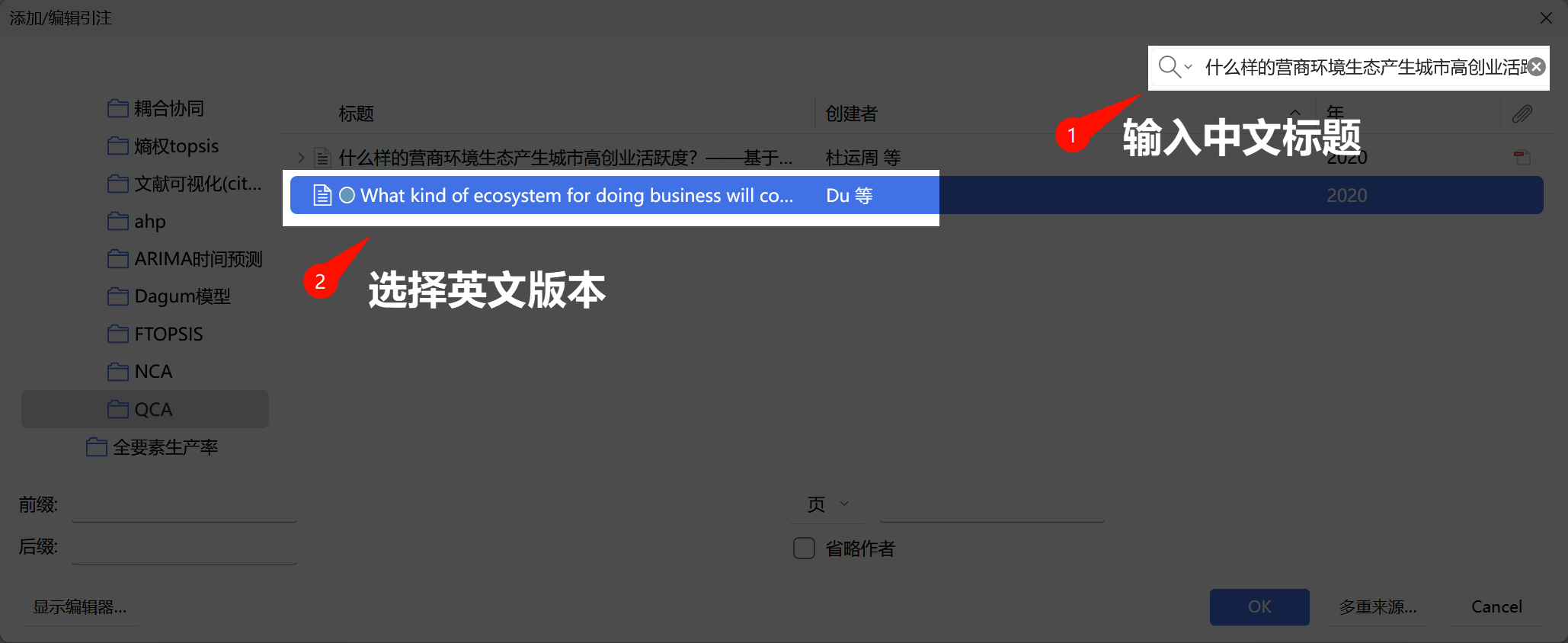
After import, double-click the item, change Title Translation to the Chinese title, and then searching the Chinese title can locate the English record.
Method 2: manually create a duplicate item#
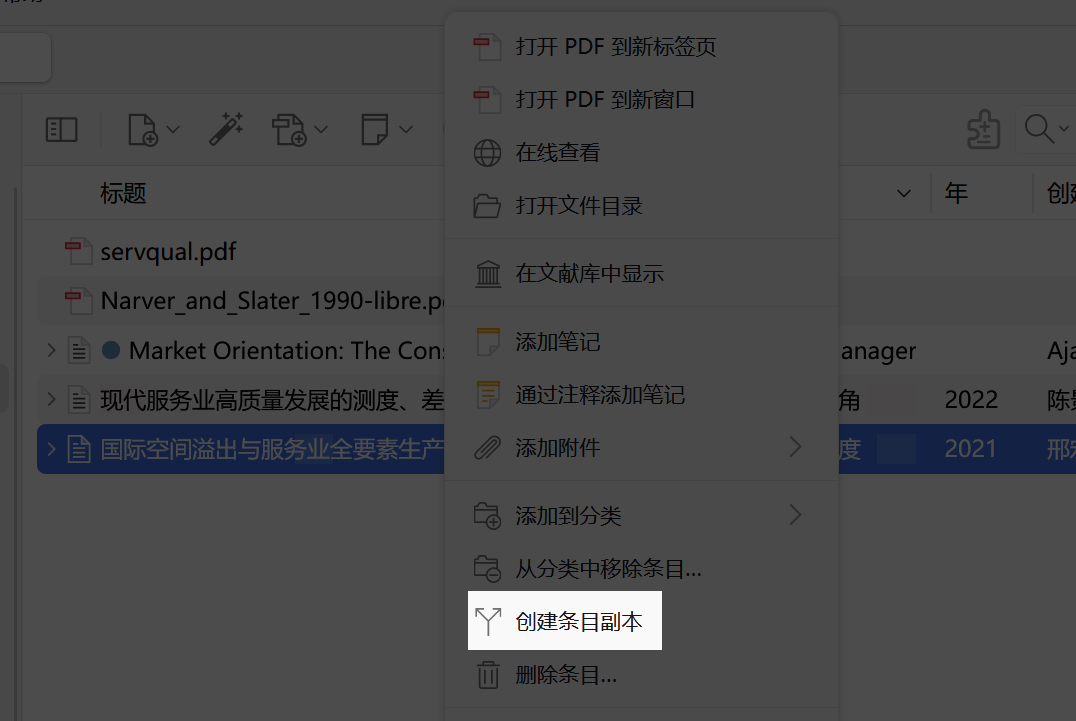
If the journal is not indexed by Google Scholar, right-click the PDF, choose Create Duplicate Item, and manually enter metadata.
- Title / authors: usually available on the first page or back cover of the PDF.
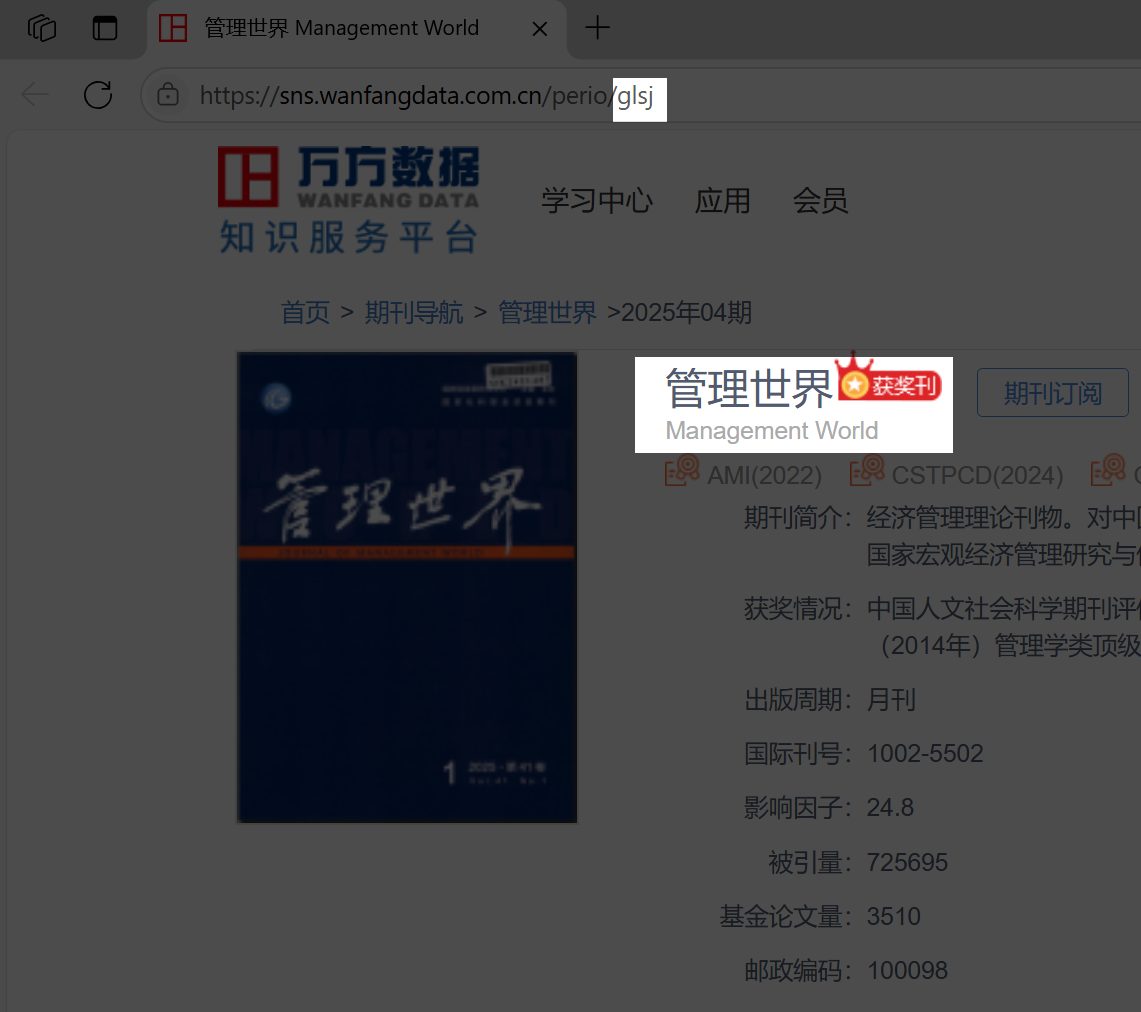
- English journal name: search the journal abbreviation on Wanfang Data. URLs often look like
https://sns.wanfangdata.com.cn/perio/{journal-abbreviation}. The official English name is usually listed near the bottom. - DOI / ISBN: fill them first if available; otherwise leave them blank.
Citation and layout in Word#
- Search Chinese title, insert English citation. Because Title Translation has been filled in, the Zotero Word plugin can recognize both Chinese and English fields. Enter the Chinese title and insert the English-format citation.
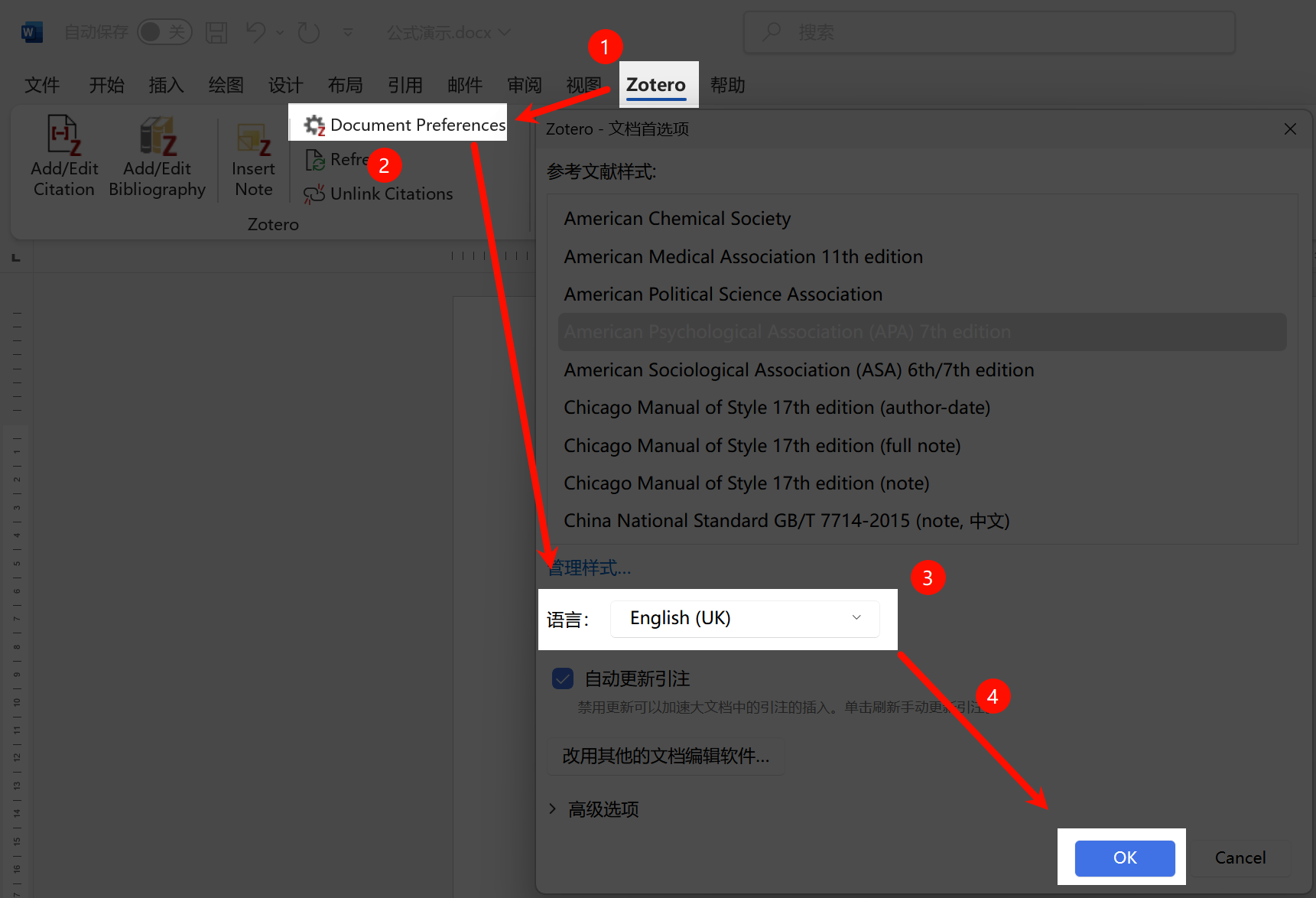
- Make “et al.” appear automatically. If in-text citations still show forms such as “(Du et al. in Chinese, 2020)”, open Zotero → Document Preferences in Word, change Language to English (US/UK), and refresh the document.
Final note These methods follow the principle of minimum work and maximum traceability: capture automatically when possible, and never overwrite the Chinese original when it can be preserved. The real time sink is usually not metadata entry but later formatting. Enter complete metadata once, and Zotero will save much more effort when inserting citations.
Screenshots and media#