Introduction#
Recently, I found some very practical text-to-PPT tools on Tongyi Qianwen and Kimi. I tried them, and the results were good. The generated PPTs are also editable. Combined with DeepSeek-R1’s text-generation ability for deep reasoning, the effect is even better.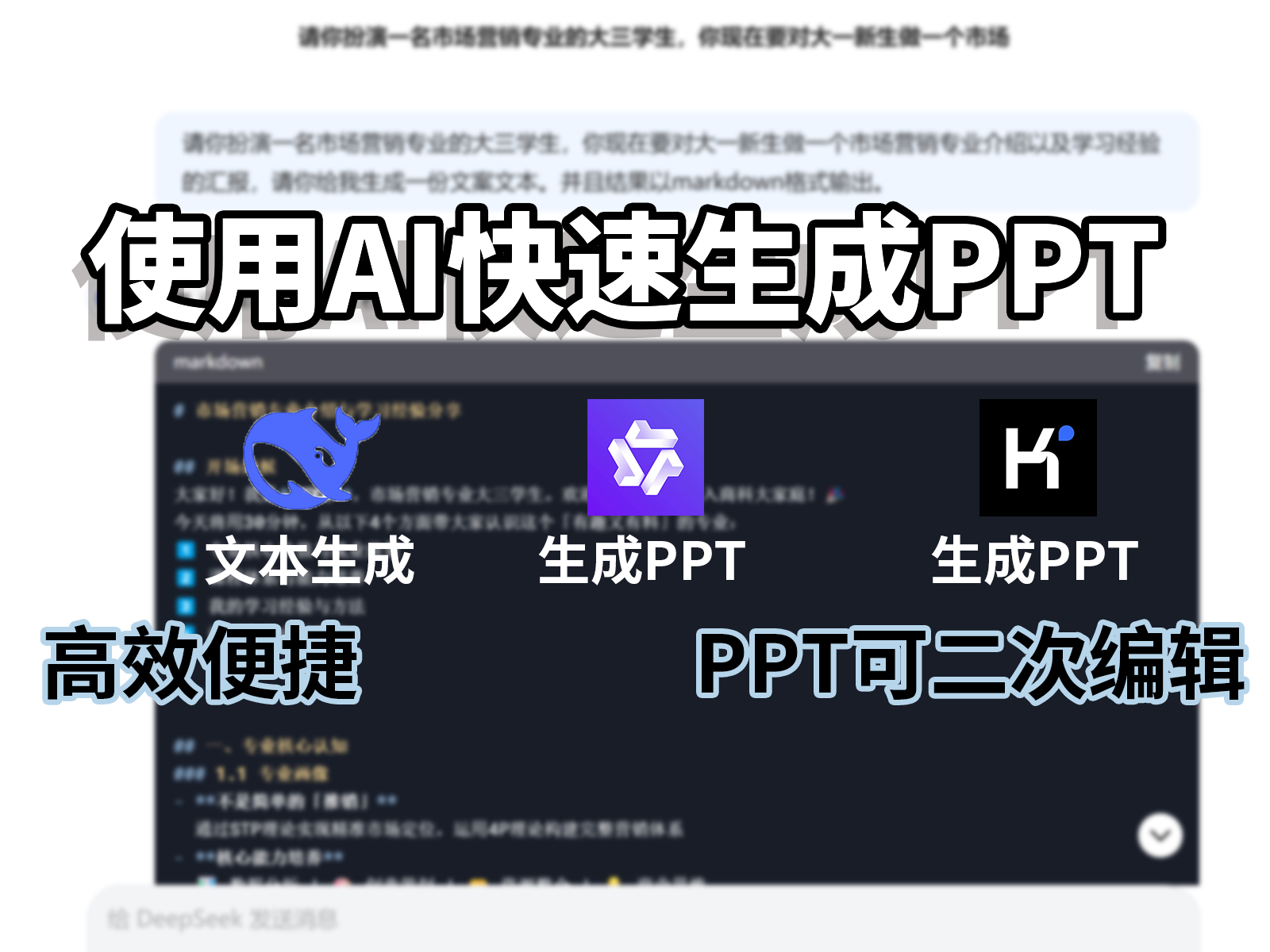
Process#
Generate Text with DeepSeek#
First, open DeepSeek, choose Deep Thinking (R1), then tell it what content you want to generate. Finally, add the requirement “output in Markdown format.”
For example, if I need to generate a presentation about the Marketing major, I can say to DeepSeek: “Please act as a junior student majoring in Marketing. You need to introduce the Marketing major to freshmen and share some learning experience. Please generate a copy draft and output it in Markdown format.” After it is generated, you can modify and adjust the copy until you are satisfied.
Note: besides DeepSeek, other AI models can also be used, and the results are also good.
Generate the PPT with AI#
Next, open Tongyi Qianwen or Kimi. Both tools are very practical. Relatively speaking, Kimi has more template types and can generate some AI images, while the PPTs generated by Tongyi Qianwen are cleaner and more polished. Personally, I think Tongyi has a stronger sense of design.
Tongyi Qianwen Steps:#
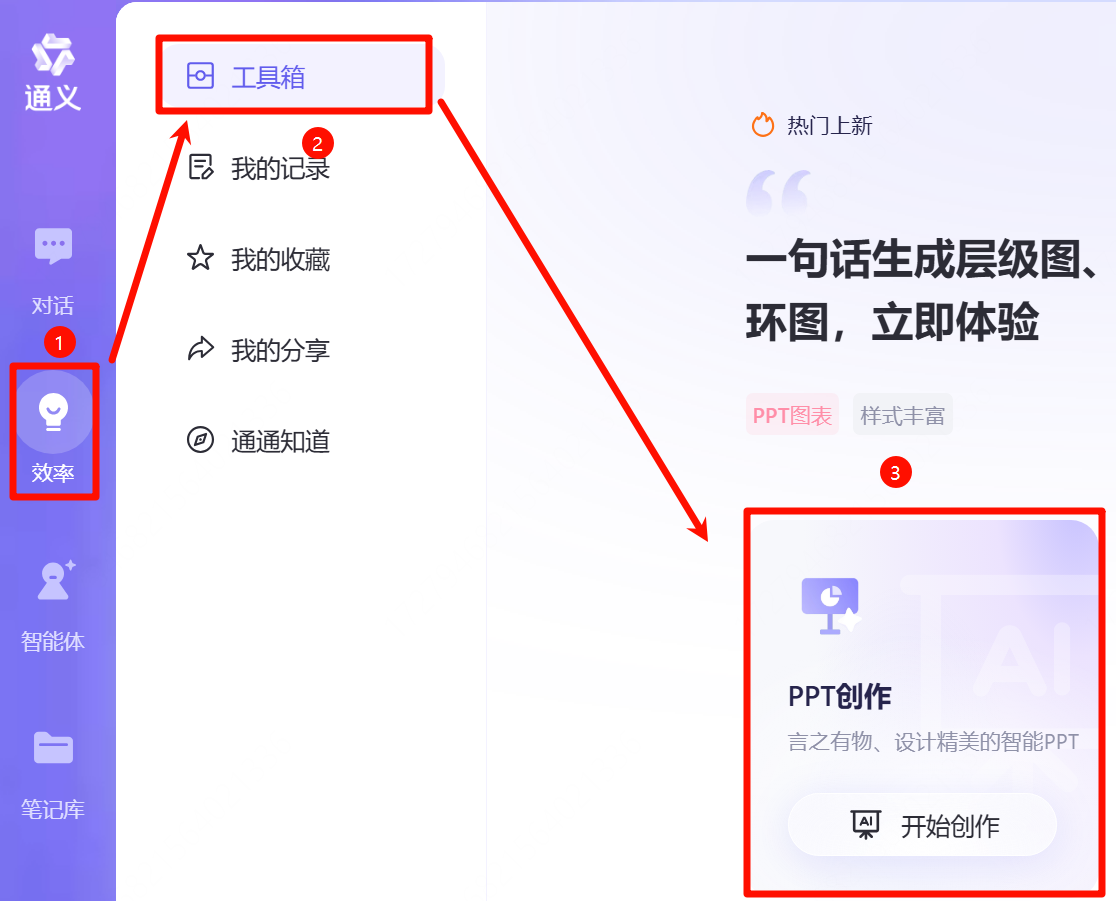
- Open Tongyi Qianwen and choose “Efficiency” — “Toolbox” — “PPT Creation.”
- Select “Generate PPT from Long Text” and paste the copy generated by DeepSeek here.
- Adjust the copy as needed, choose the presentation scenario, and continue to the next step.
- Choose a suitable template and generate the PPT.
- Make fine adjustments. After finishing, click “Export” in the upper-right corner and choose “Export as PPT.”
Kimi Steps:#
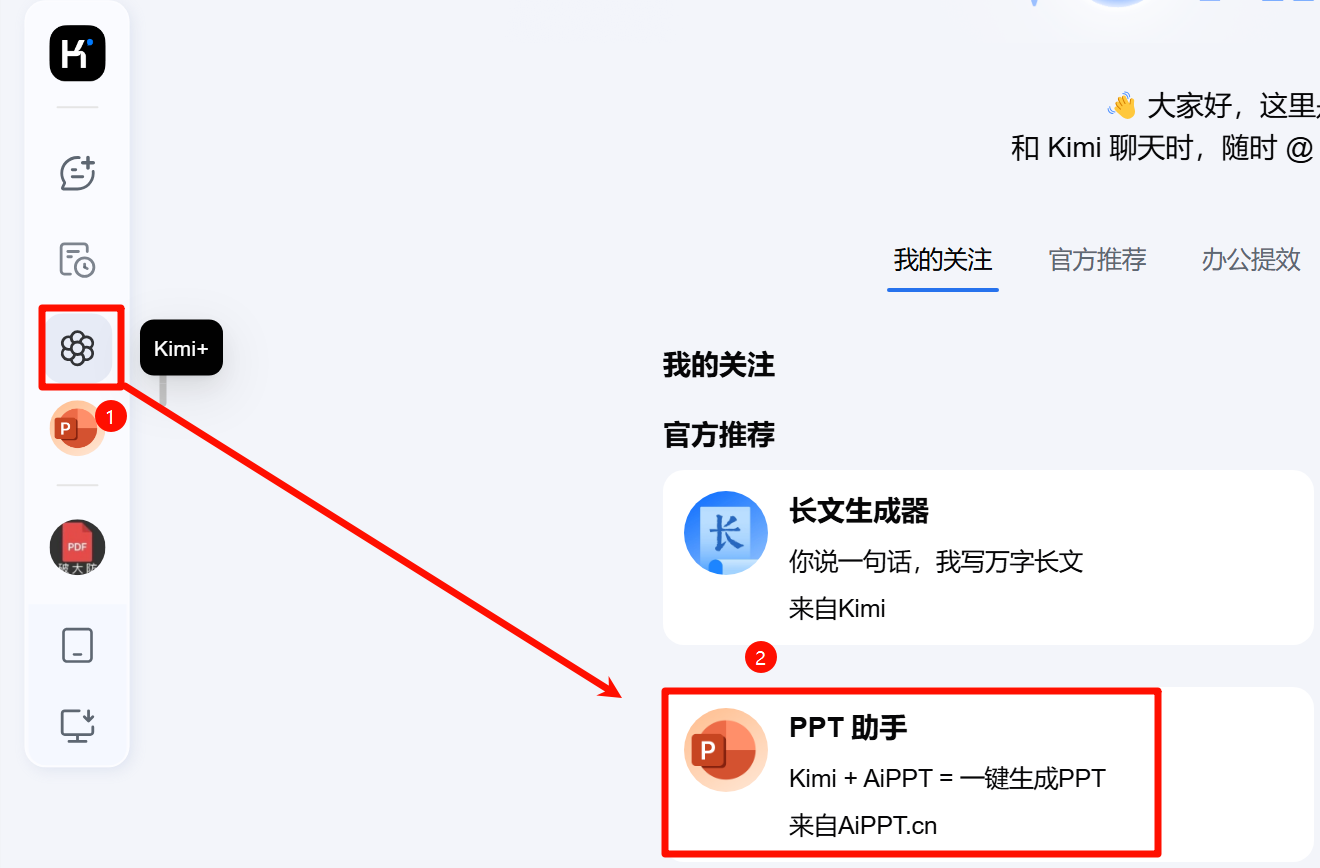
- Open Kimi and click “Kimi+” to enter “PPT Assistant.”
- Paste the text into the input box and click “Generate PPT with one click.”
- Choose a template and generate the PPT.
- Enter the editing interface for fine adjustments, then download the PPT. The text remains editable.
Final Notes#
Using large AI models to generate PPTs is an efficient method. AI can fit text into PPT templates well, but the generated result still has room for improvement. I suggest writing the copy yourself first, then asking a large AI model to polish it and convert it into Markdown format. After generating the PPT, you can insert charts as needed to enrich the content and improve the visual effect of the slides.