
Reason#
I found that data exported from Tencent Questionnaire had an incorrect format for multiple-choice questions and was not suitable for importing into SPSS for analysis. The main problems were:
- Unselected options should be 0, but here they were blank values.
- Other columns should be 1 if selected, but here they were directly filled with the entered content.
Problem example: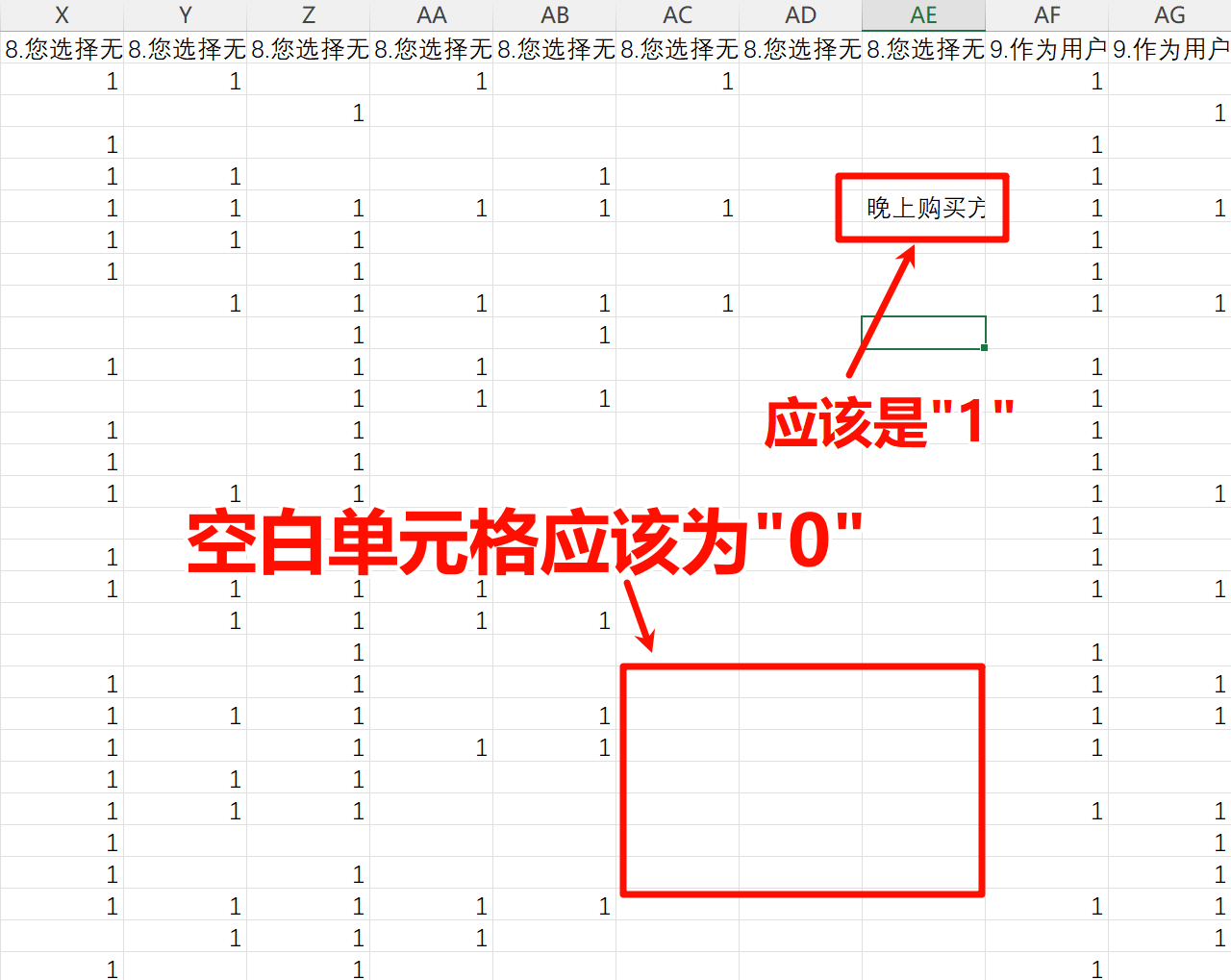
Therefore, I used Python code to clean the data.
Preparation Before Use#
- Rename variables: first, rename the variables, such as
Q1,Q2, and so on. For multiple-choice questions, name themQ3_1,Q3_2, and so on. Variable names should use English abbreviations of the variables; for example, perceived ease of use can be namedPEOU1,PEOU2. - Save the Excel file as CSV. The steps are:
- Start Excel and open the target file.
- Click the “File” menu in the upper-left corner.
- Choose “Save As” from the menu. Some versions may directly show “Save as.”
- In the dialog box, choose where to save the file.
- In the “Save as type” drop-down menu, choose CSV (Comma delimited) (*.csv).
Here is an example of a prepared data format:
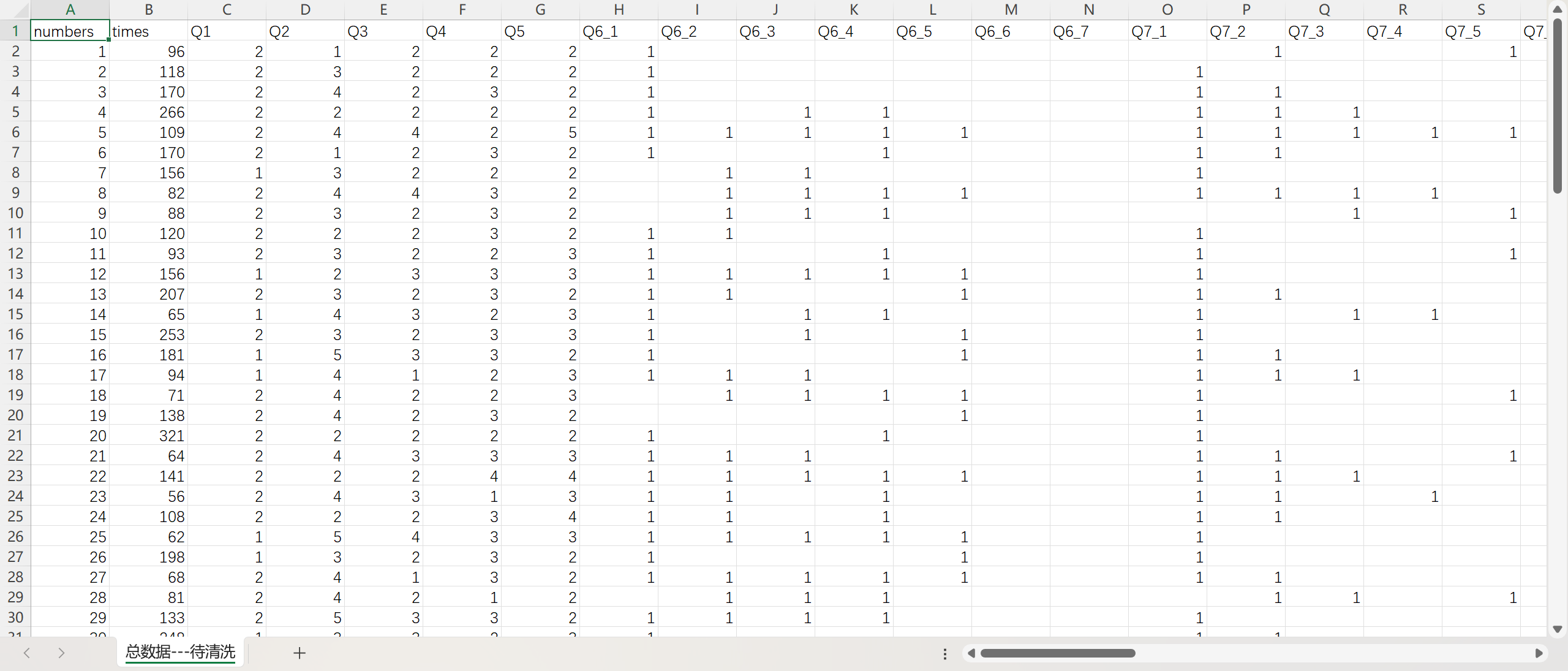
- Make sure Python has the numpy and pandas libraries installed. If not, enter the following commands in the command-line terminal:
1
2
pip install numpy pip install pandas - Copy the file path.
- Select the target file or folder.
- Press
Ctrl + Shift + Cto copy the full path of the file or folder to the clipboard. - Note: the copied path will include quotation marks, which must be removed later.
Code#
| |